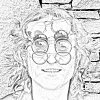
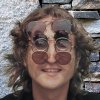
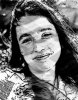
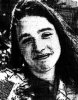
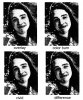
hey, i started using Photoshop recently and i was trying to make a sketch from a photo...i tried different tutorials from the net to do this, but i am not satisfied with the end result...i tried using different filters to achieve this effect...what i want is a sketch in which brush strokes are clearly visible.. and obviously it should look like a real sketch not what has been made using photoshop filters.
1. Duplicate your layer and desaturate it.
2. Duplicate the new desaturated layer and set to color dodge, invert Color dodge layer.
3. Gaussian blur the color dodge layer to the desired effect.
4. Merge layers on to a new layer by pressing cntrl+alt+shift+E
5. Burn the image in any area's you what brought out more with the burn tool.
If you need me to when I have more time I can provide images and go into more detail. I just don't have the time atm.
i tried it...but i want the sketch in black n white and i want to clearly see the pencil strokes as if i drew the sketch by hand....is there any way to achieve that effect???
different versions and made my own pencil strokes; other effects and blend modes in composite img. You just have to play iwth it once you have the basic structure.
To get the pencil strokes how you want them, you can just draw them on a layer with the blend modes set
If you want the steps for this technique, let me know