-
New Member - Elements 9 User
Hey all,
My names John, I've had Adobe Photoshop Elements 9 on my laptop for a while now and previously used CS2 (I believe) on my dad's computer. I like to do a lot of photo shopping with cars and haven't had many ideas other than that. Kind of into video production, Sony Vegas 10.0 (just dont have a quality video camera) and I've started to get into photography, Cannon EOS Rebel T2i. I look forward to some feedback, critiquing and new ideas from you guys so let your thoughts fly good or bad. Looking forward to be part of the community!
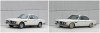
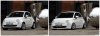
I guess I will post a couple of the most recent pieces I've done for a car club here at my school, nothing special just messing around. Noob status still...
-
-
Forum Mod
Re: New Member - Elements 9 User
welcome to the forum JR|91
-
-
Member
Re: New Member - Elements 9 User
-
-
Power User
Re: New Member - Elements 9 User
Welcome to PSG.
Due to priveliges, perhaps you could disguise the number plates. Other than that, nice images 
You'll find lots ideas here, like changing the colour of the car and much more, so hope you will enjoy your stay here.
Last edited by Dreamers; 02-06-2012 at 05:18 PM.
-
-
Re: New Member - Elements 9 User
Thanks for the warm welcomes everybody, and with the license plates I will disguise them.
I did another piece, kinda okay work, but it's from the Chop Show Week 4 Competition. I didn't realize it was a Closed Thread until after I did this but, I'm having problems with the color match like the shadows of the car (brightness, contrast, lighting, etc. when under the plane)
Anyway I just lowered the car, put a different set of wheels on it, graphics/pain and it's now a Red Bull drift Mustang I guess you can say, background is in the Red Bull Hangar.
-
-
Member
Re: New Member - Elements 9 User
hi and wellcome.Nice images
-
-
Re: New Member - Elements 9 User

Originally Posted by
Fiza_fairy
hi and wellcome.Nice images
Thank you, cant wait to learn some more and get better. I have a quick question for anyone who can answer or steer me in the correct direction. When making using text is there any way to wrap the text. I have distort, perspective, skew and free transform under "Image - Transform". But none of them are doing what I want. I am trying to make a sticker, something like this:
I cant seem to make the text wrap, I could change the sizes of each and every letter and then distort it but just for future reference I was wondering so it would be a shorter process. Also I have a program where I will use a jpeg from Photoshop and turn it into a sticker (vector I believe) my only problem is when I use the other program the resolution from photoshop is not nearly high enough as the lines are all jagged and sloppy. Any suggestions to make the lines clearer. The decal/sticker printing program is Gerber Omega.
-
-
Member
Re: New Member - Elements 9 User
yeah u will learn many thing over here
-
-
Member
Re: New Member - Elements 9 User
-
-
Guru
Re: New Member - Elements 9 User
-
Posting Permissions
- You may not post new threads
- You may not post replies
- You may not post attachments
- You may not edit your posts
Forum Rules
Powered by
vBulletin® Version 4.1.9
Copyright © 2012 vBulletin Solutions, Inc. All rights reserved.
Content Relevant URLs by
vBSEO 3.6.0
Copyright 2011 Photoshop Gurus Forum. All rights reserved.