2Likes
-
Junior Member
3D rectangular box
Hi, sorry for the noob question i am very new to photoshop!
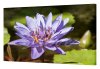
I need to make a series of 3D wall art images for a school project, so that it looks like canvas paintings hanging on a wall, so that it looks something like this.

Could someone please give me some help on how to do this in Photoshop CS5? And is it possible to create a template so i don't have to alter all my images one by one but i can paste them into a template that does it for me?
Thanks!!
-
-
Administrator
Re: 3D rectangular box
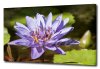
Open the image.
Go to Image|Canvas Size and make the canvas slightly larger than the image.
Select the whole image with the marquee tool and make sure you overlap just a little onto the new white background you created with Canvas size.
Use Transform (T) Perspective and adjust the shape by shrinking the image on the left side.
Use the marquee tool again and select a small area on the right the part that will be the side, and use Transform Perspective again.
With the selection still active you can darken it by using Curves, Brightness and Contrast, or Levels.

Unless all the image are identical in size you probably can't use an Action, but it's not that tough to do.
It should go pretty fast after you get the hang of it.
Last edited by Steve; 01-17-2011 at 05:29 PM.
-
-
Junior Member
Re: 3D rectangular box
Hi Steve,
Many thanks for your help, it is much appreciated!
- Lili-Rose
-
-
Administrator
-
-
Guru
Re: 3D rectangular box
Good explanation Steve, but you forgot the drop shadow...just kidding.
-
-
Administrator
Re: 3D rectangular box
Just for you hawkeye. 

Actually the images were so small I didn't see it.
-
-
Guru
-
-
Guru
Re: 3D rectangular box
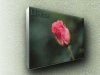
Well I'm jealous........Steve never gave me flowers........You must be special Ralph..sorry I never knew LOL
-
-
Junior Member
-
-
Junior Member
Re: 3D rectangular box
Nice post.i am really feel proud to become part of this forum.i hope i will get more information further.
-
Posting Permissions
- You may not post new threads
- You may not post replies
- You may not post attachments
- You may not edit your posts
Forum Rules
Powered by
vBulletin® Version 4.1.9
Copyright © 2012 vBulletin Solutions, Inc. All rights reserved.
Content Relevant URLs by
vBSEO 3.6.0
Copyright 2011 Photoshop Gurus Forum. All rights reserved.