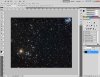
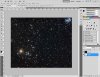
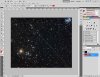
So once I have an image (780 x 640) I need to re-size it to a 780 x 780 square. I can script that pretty easily.
Here is where it will get complicated, so I'll explain what I need before saying how I'm going to get it to work.
With the image, the user should be able to draw a line of a certain width across the image. Now whatever part the line is "filling" in the image will be left alone and the rest of the image will be cropped. In the end, there will be a strip of the original image that has the same dimensions as the "line" the user drew.
Also the strip has to be perfectly horizontal. So even if the line was drawn on a slanted and it could be even off centered, the strip will "grab" that information from the image and make a strip and rotate it so it is horizontal.
My idea was to create a layer underneath the image and create a clipping mask on the image layer. This will give me a "line" or strip from the image that I want. Again, I'm sure I can script this part too.
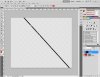
The part where I'm stuck is: once all I have is this arbitrarily slanted strip with everything else transparent, how to trim it. If I tried ordinary trimming, all it will do is trim it until the sides hit the strip.
Is there no option in PS to remove all the transparency so that it automatically has to rotate it leaving only pixels that are non-transparent...?
I hope that made sense. I suck explaining things. So if you need more details, please ask.
Here is where it will get complicated, so I'll explain what I need before saying how I'm going to get it to work.
With the image, the user should be able to draw a line of a certain width across the image. Now whatever part the line is "filling" in the image will be left alone and the rest of the image will be cropped. In the end, there will be a strip of the original image that has the same dimensions as the "line" the user drew.
Also the strip has to be perfectly horizontal. So even if the line was drawn on a slanted and it could be even off centered, the strip will "grab" that information from the image and make a strip and rotate it so it is horizontal.
My idea was to create a layer underneath the image and create a clipping mask on the image layer. This will give me a "line" or strip from the image that I want. Again, I'm sure I can script this part too.
The part where I'm stuck is: once all I have is this arbitrarily slanted strip with everything else transparent, how to trim it. If I tried ordinary trimming, all it will do is trim it until the sides hit the strip.
Is there no option in PS to remove all the transparency so that it automatically has to rotate it leaving only pixels that are non-transparent...?
I hope that made sense. I suck explaining things. So if you need more details, please ask.