+ Reply to Thread
Page 1 of 14 12345611 ... LastLast
Results 1 to 10 of 132
Like Tree118Likes

Thread: Photoshop Challenge Week #9

  1. #1
    Silly Trucker
    Join Date
    May 2011
    Location
    Trucking the big roads, dust and all.
    Posts
    4,564
    Thanks
    44
    Thanked 228 Times in 223 Posts

    Photoshop Challenge Week #9

    Challenge9

    Ok thanks to Hoogleman and his challenge week.
    As it was a little late in the day i have decided to do this weeks challenge as H couldn't decide who to pick.

    This week we are going to try and apply your own face or another onto an existing photo.

    The link gives a full descriptive breakdown of how to do the challenge, it is not that hard you all have the skills needed so come on and have a go - it's fun.

    Add Your Face to Movie Poster

    OR

    If you want to try layer mask technique try this intro into it.

    http://www.myjanee.com/tuts/layermask/layermask.htm

    please note that this is not the only way to go about such manipulations - but i feel it is a easy introduction into doing this type of project

    Heres one of my before and after efforts.
    Last edited by Paul; 09-03-2011 at 10:26 PM. Reason: Links
    Steve, Stric9, $1r_M4x1mu$ and 5 others like this.


  2. The Following User Says Thank You to Paul For This Useful Post:

    MelissaV (09-03-2011)

  3. #2
    Member
    Join Date
    Aug 2011
    Location
    Tx
    Posts
    38
    Thanks
    2
    Thanked 3 Times in 3 Posts

    Re: Photoshop Challenge Week #9

    SWEET! I'm on it - hope the tutorial is good. Thanks Belial!!!
    Paul likes this.

  4. #3
    Administrator
    Join Date
    Jul 2010
    Location
    New Jersey, USA
    Posts
    4,744
    Thanks
    12
    Thanked 160 Times in 150 Posts

    Re: Photoshop Challenge Week #9

    To get you started:

    Photoshop Challenge Week #9-9.jpg

    Photoshop Challenge Week #9-putindobby.jpg

    And I didn't even need to shop these!

  5. #4
    Silly Trucker
    Join Date
    May 2011
    Location
    Trucking the big roads, dust and all.
    Posts
    4,564
    Thanks
    44
    Thanked 228 Times in 223 Posts

    Re: Photoshop Challenge Week #9

    Heres one of my early efforts, this one i warped the Charlie layer wrapping it around ga ga's face then pulled the nose out a little with the liquify tool, not perfect but hey it's fun.


  6. #5
    Silly Trucker
    Join Date
    May 2011
    Location
    Trucking the big roads, dust and all.
    Posts
    4,564
    Thanks
    44
    Thanked 228 Times in 223 Posts

    Re: Photoshop Challenge Week #9

    Oh Steve you are way better than that mate, but i see what your saying
    Last edited by Paul; 09-04-2011 at 12:46 AM.


  7. #6
    Power User
    Join Date
    Sep 2010
    Location
    Southern, Illinois
    Posts
    391
    Thanks
    11
    Thanked 38 Times in 37 Posts

    Re: Photoshop Challenge Week #9

    Photoshop Challenge Week #9-molly_sims_model_big.jpgPhotoshop Challenge Week #9-tyra_banks_1.jpgPhotoshop Challenge Week #9-1-copy.jpg
    Gettn late going to bed. But had to give it a try.
    $1r_M4x1mu$, Vafann, fenix and 1 others like this.

  8. #7
    Silly Trucker
    Join Date
    May 2011
    Location
    Trucking the big roads, dust and all.
    Posts
    4,564
    Thanks
    44
    Thanked 228 Times in 223 Posts

    Re: Photoshop Challenge Week #9

    Did you do that with the tuts help or you already knew how to do it?
    Last edited by Paul; 09-04-2011 at 03:49 AM.


  9. #8
    Guru
    Join Date
    Jul 2011
    Location
    on a computer... duuh
    Posts
    1,331
    Thanks
    90
    Thanked 40 Times in 38 Posts

    Re: Photoshop Challenge Week #9

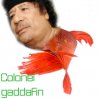
    does adding a face on to a fish count?

  10. #9
    Silly Trucker
    Join Date
    May 2011
    Location
    Trucking the big roads, dust and all.
    Posts
    4,564
    Thanks
    44
    Thanked 228 Times in 223 Posts

    Re: Photoshop Challenge Week #9

    You can blend what ever you wish young man, now get chopping, the idea is to use the tools to try and make it look as natural a blend as possible mate.


  11. #10
    Guru
    Join Date
    Jul 2011
    Location
    on a computer... duuh
    Posts
    1,331
    Thanks
    90
    Thanked 40 Times in 38 Posts

    Re: Photoshop Challenge Week #9

    all righty then, i'll turn my PC on and get started :P
    Paul likes this.


Tags for this Thread

Posting Permissions

  • You may not post new threads
  • You may not post replies
  • You may not post attachments
  • You may not edit your posts
Powered by vBulletin® Version 4.1.9
Copyright © 2012 vBulletin Solutions, Inc. All rights reserved.
Content Relevant URLs by vBSEO 3.6.0
Copyright 2011 Photoshop Gurus Forum. All rights reserved.
All times are GMT -5. The time now is 10:36 AM.
vBulletin Skins