ibclare
Queen Bee
- Messages
- 9,890
- Likes
- 4,028
Hi all;
Welcome to week 17. This week concentrates more on photography than design and is very open to your ideas and something you want to learn more about. It is to take one (or multiple) of your photos and enhance it in any way you like, using 2 or 3 techniques to tke it up a notch. Here are a few ideas:
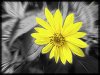
*a black and white conversion such as a monotone tint (sepia or a colour tint), a dual tone/split tone and selectibe colour where a certain colour or oblect remains coloured in a black and white image.
*use a motion or radial blur, add a layer mask to erase parts of the blur where you want the image to come through, add a layer effect such as a gradient overlay or colorize the image or both.
*do a photomerge to make a scene out of multiple shots, a panorama or a larger scene than you could do with just one shot.
*if you have CS5 you can do an HDR toning with one picture/one exposure; if you have CS2, 3, or 4, you can take 3 photos of the same scene shot at 3 different exposures and use the HDR merge in Photoshop.
Use your imagination, and post your before and after photos.
If you have a great tutorial you've used, please post it. If you use a different technique than any of the above, please describe it and briefly the steps you used, or post a tutorial. Show off your favorite kinds of photography and photographic effects.
Here's an interesting tutorial using motion blur:
Photoshop Bourne Ultimatum Color and Motion Blur Effect
Here's a quick one on creating duotone:
How to Convert an Image to a Duotone in Photoshop
Here's one on photomerge:
Free Photoshop CS3 Tutorials - Photomerge
If you want to go out and make a series of shots to create a panorama here are a couple to look at:
How to Create a Panorama with Photoshop and Photomerge
Using Photomerge for Stunning Panoramic Photos (and some tips for shooting panoramics) | General/Basics
I hope this gives you some ideas to run with and please come back with your inspirations!

Welcome to week 17. This week concentrates more on photography than design and is very open to your ideas and something you want to learn more about. It is to take one (or multiple) of your photos and enhance it in any way you like, using 2 or 3 techniques to tke it up a notch. Here are a few ideas:
*a black and white conversion such as a monotone tint (sepia or a colour tint), a dual tone/split tone and selectibe colour where a certain colour or oblect remains coloured in a black and white image.
*use a motion or radial blur, add a layer mask to erase parts of the blur where you want the image to come through, add a layer effect such as a gradient overlay or colorize the image or both.
*do a photomerge to make a scene out of multiple shots, a panorama or a larger scene than you could do with just one shot.
*if you have CS5 you can do an HDR toning with one picture/one exposure; if you have CS2, 3, or 4, you can take 3 photos of the same scene shot at 3 different exposures and use the HDR merge in Photoshop.
Use your imagination, and post your before and after photos.
If you have a great tutorial you've used, please post it. If you use a different technique than any of the above, please describe it and briefly the steps you used, or post a tutorial. Show off your favorite kinds of photography and photographic effects.
Here's an interesting tutorial using motion blur:
Photoshop Bourne Ultimatum Color and Motion Blur Effect
Here's a quick one on creating duotone:
How to Convert an Image to a Duotone in Photoshop
Here's one on photomerge:
Free Photoshop CS3 Tutorials - Photomerge
If you want to go out and make a series of shots to create a panorama here are a couple to look at:
How to Create a Panorama with Photoshop and Photomerge
Using Photomerge for Stunning Panoramic Photos (and some tips for shooting panoramics) | General/Basics
I hope this gives you some ideas to run with and please come back with your inspirations!

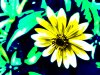
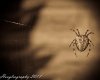
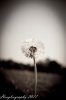
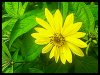
 does the above count?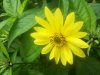
 oh btw clare, you are my saviour from death by boredom