+ Reply to Thread
Results 1 to 4 of 4
  1. #1
    Junior Member
    Join Date
    Aug 2010
    Posts
    4
    Thanks
    0
    Thanked 0 Times in 0 Posts

    Contour lines in Photoshop?

    Hello, I've been using PSP so I'm a bit lost in PS...

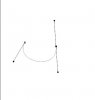
    I have a drawing, for example:


    I put it as a background and want to make contours above, in PSP it was really easy - Pen Tool > Connect segments > Line width.

    Done.

    In PS I have no idea how to do it:


    There is a Pen tool, but I'm unable to set width, when I choose Line Tool then it's drawing only arrows and not connecting segments -_- I already fixed the arrow ending, but don't know how to make a line with my width working like path pen?

    (links not images, because I'm unable to put images before reaching 10 posts on this board).

    Help! I'm using CS5.

    Cheers.
    Last edited by archivedb; 08-26-2010 at 07:20 AM.

  2. #2
    Guru
    Join Date
    Aug 2010
    Location
    The Abyss
    Posts
    952
    Thanks
    0
    Thanked 0 Times in 0 Posts
    You should be able to place an anchor and then drag the bar out, left click to place an anchor and hold the left mouse button down to drag out your bars to make curves...

    Contour lines in Photoshop?-ptex.jpg

  3. #3
    Guru
    Join Date
    Apr 2002
    Posts
    1,552
    Thanks
    0
    Thanked 30 Times in 11 Posts
    You can post images before 10 posts, just not links.

    I fixed your post.

  4. #4
    Junior Member
    Join Date
    Aug 2010
    Posts
    4
    Thanks
    0
    Thanked 0 Times in 0 Posts
    Gaussian, thanks. Don't know why get "no url before 10 posts message".

    KrDezines, I was asking about changing line width, not drawing.

    Anyways, here's the solution:

    1. Click Pen Tool (P).
    2. Using Tool Settings Bar above your image set it to Paths > Auto/Add delete (default settings I guess).
    3. Make an anchor, connect it to other segment(s).
    4. Right click somewhere on the tight line between anchors.
    5. From the menu choose Stroke Path...
    6. Take the Brush one from the list and PS will make a brush line just beneath your line(s).

    IF THIS DOESN'T WORK AND DIDN'T FOR ME:

    7. Try clicking small box button with circle inside of it below color picker on the left side. If still doesn't help then try to hold ALT when you click.

    I hope it helps.


Posting Permissions

  • You may not post new threads
  • You may not post replies
  • You may not post attachments
  • You may not edit your posts
Powered by vBulletin® Version 4.1.9
Copyright © 2012 vBulletin Solutions, Inc. All rights reserved.
Content Relevant URLs by vBSEO 3.6.0
Copyright 2011 Photoshop Gurus Forum. All rights reserved.
All times are GMT -5. The time now is 08:59 PM.