-
Power User
Oblique Rectangle...
Hey guys,
I have next problem and that is that i want to make a oblique rectangle just like on next image:

This is what i made:

Btw:how do i get the white box invisible of the one i made????I don't understand it because i made it on a transparent layer... :s
-
-
Guru
Re: Oblique Rectangle...
what you are looking for is this:
1. Photoshop transform --> skew
Adobe Photoshop CS5 * Transform freely
2. To save a file whit transparency save it as .PNG "Most used file format that support transparency"
Saving a File with Transparent Background | Photoshop Basics
also
Adobe Photoshop CS5 * Save a file in PNG format
Cuando soy Bueno, soy muy BUENO
Pero cuando soy malo, soy mucho MEJOR
-
-
Administrator
Re: Oblique Rectangle...
Yep, what $1r_M4x1mu$ said.
-
-
Power User
Re: Oblique Rectangle...

Originally Posted by
$1r_M4x1mu$
Thank you very much man it worked great and here is the result:

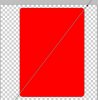
I'm overall satisfied only except for the gradient glass effect:i chose the rectangular tool to make a rectangular but to make the corners rounded i used feather with "8 pixels" but this was the result.. :ok,the corners are rounded but i'm not satisfied of the glass effect.. :s
-
-
Member
Re: Oblique Rectangle...
your red/Black overlap is not straight/square/in-line... was this intentional?
-
-
Power User
Re: Oblique Rectangle...

Originally Posted by
smalltrees
your red/Black overlap is not straight/square/in-line... was this intentional?
No man it was not supposed to be like that.. :s I saw it later..
-
-
Guru
Re: Oblique Rectangle...
use the transform to to angle the glass effect layer and angle it the same as rest of image
-
-
Power User
Re: Oblique Rectangle...
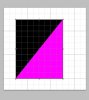
I have another question and that is.. :now i made a good left and right side different coloured and i skewed it like i want it but what IF i want to make a diagonal different coloured sides??????
Like on next image:

I didn't know how to make a diagonal side but i just used the pen tool to create it.
So do you understand what i mean?
So i want to make the left side white and the other side of the diagonal i want to make black?
-
-
Guru
Re: Oblique Rectangle...
you are in the right path
Pen Tool, Shapes & Custom shapes
this guide will help you whit the pen tool. By the way pen tool is a powerful tool very useful.
Photoshop Pen Tool Guide | Tutorial9
And for the shapes overlapping, overlaying, make sure to put each shape in separate layes so you can work independently in between shapes "color,gradients, and pattern fills"
Also a reminder on working whit layers
Working with Layers in Photoshop | Tutorial9
Good luck and have fun.
Cuando soy Bueno, soy muy BUENO
Pero cuando soy malo, soy mucho MEJOR
-
-
Power User
Re: Oblique Rectangle...

Originally Posted by
$1r_M4x1mu$
you are in the right path
Pen Tool, Shapes & Custom shapes
this guide will help you whit the pen tool. By the way pen tool is a powerful tool very useful.
Photoshop Pen Tool Guide | Tutorial9
And for the shapes overlapping, overlaying, make sure to put each shape in separate layes so you can work independently in between shapes "color,gradients, and pattern fills"
Also a reminder on working whit layers
Working with Layers in Photoshop | Tutorial9
Good luck and have fun.
Hey man,
Thank you very much but i have a problem and that is that one shape is bigger then the other even that i closed pixels and normally it must not be.
Here's an image:

You see what i mean?The white is not good.. but i have my diagonal
-
Posting Permissions
- You may not post new threads
- You may not post replies
- You may not post attachments
- You may not edit your posts
Forum Rules
Powered by
vBulletin® Version 4.1.9
Copyright © 2013 vBulletin Solutions, Inc. All rights reserved.
Content Relevant URLs by
vBSEO 3.6.0

Copyright 2011 Photoshop Gurus Forum. All rights reserved.
All times are GMT -5. The time now is 04:10 AM.