
Josiah Feuerbacher
Active Member
- Messages
- 26
- Likes
- 2
Go back and read post #5. I pointed this out at 10am this morning.
Welcome to Photoshop Gurus forum. Register a free account today to become a member! It's completely free. Once signed in, you'll enjoy an ad-free experience and be able to participate on this site by adding your own topics and posts, as well as connect with other members through your own private inbox!

Aha ok it's possible man i'm sorry but you know.. sometimes my brain really flip of all of the details of Photoshop!!!!Go back and read post #5. I pointed this out at 10am this morning.


But what i ask myself is that if there is no option in photoshop that automatically tries his best to get colors and stuff of all layers the same.. again i say it 'tries his best' because we all know that some photos is impossible to match with each other because the quality..
But what i ask myself is that if there is no option in photoshop that automatically tries his best to get colors and stuff of all layers the same.. again i say it 'tries his best' because we all know that some photos is impossible to match with each other because the quality..
So is it good that i turn the final result i made today with the added person to black and white and then arrange the color OR do i have to start from the beginning and make the images black and white(and saved it like that)BEFORE i open it with PS?????you are asking Photoshop to do too much for you... and something you should have already done...
as I said before, if you start with color balanced images, neutral color... the images/parts you combine will be fine...
if you have three different images, with three different color biases, Photoshop cannot solve...
Photoshop will try to make them equal, but, each one will still be biased...
color balance first, to neutral color, normal color... easiest way is via curves... correct by the numbers...
then... assuming your monitor is calibrated, adjust to please... or match the time of day, or the mood you seek...
taking an image to normal first, will avoid any sort of crossed colors...
Photoshop cannot solve crossed colors... it may improve them, or make them equally worse...
expecting Photoshop to solve, everything... is just being lazy...


Hey man.. now i tried this:i began with both coloured and i put them together and then made it all black and white.. and i have the history that it is coloured.. .open the file...
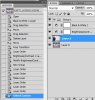
from the toolbar, click window, then history...
if you see many layers, this is good...
this shows each step you took, each thing you did...
look for the B/W adjustment layer, then click in one of the layers above it...
you should have color...
if you see no layers, or no history... color is lost...
go to your preferences and change the amount of history states you save...
Hi there
What you need to do is add the effect to the person that you added to the composition. When you add something to a picture it normally has its own layer. You need to apply the effect to the layer that has your person on it. You do this by hovering over the thumbnail of the layer in question in the layers palette. Press Ctrl (windows) & Cmd if your using a mac. Your curser should change to the marquee selection square. Press on the thumbnail once this symbol appears, this will select all the pixels within that layer. Once you have made the selection you can then apply an adjustment to those pixels without effecting the whole picture.
Yes from black&white to full colors i mean..what do you mean by colored? a single tone, or due you mean real life colors, as before it was turned into B/W?
but, if you trashed mine, the client, there would be hell to pay...
i want to get paid too for my hobby!!!!!no... People pay me, for my skills...
 )))
)))