-
Power User
-
-
Power User
Re: Change color and other things ONLY for added person..
-
-
Re: Change color and other things ONLY for added person..
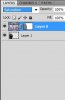
You need to have the two images (background and added person) on two different layers in order to manipulate them separately. Post the image you're working on for specifics.
-
-
Power User
Re: Change color and other things ONLY for added person..
I did it man and i copied both layers but still i can't manage them seperately????
-
-
Re: Change color and other things ONLY for added person..
How are you changing the contrast? Through the "Image" menu or by creating an adjustment layer within the layer's palette?
Going through the "Image" menu will allow you to change just one layer, but the effects are permanent to that layer.
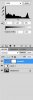
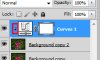
An adjustment layer will by default affect all layers below it. You can change that by alt+clicking between the adjustment layer and the layer below it, or by putting them in a group together and changing the group's blending mode to "Normal". Lots of info there. Let me know if any of that helps.
-
-
Power User
Re: Change color and other things ONLY for added person..

Originally Posted by
Josiah Feuerbacher
How are you changing the contrast? Through the "Image" menu or by creating an adjustment layer within the layer's palette?
Going through the "Image" menu will allow you to change just one layer, but the effects are permanent to that layer.
An adjustment layer will by default affect all layers below it. You can change that by alt+clicking between the adjustment layer and the layer below it, or by putting them in a group together and changing the group's blending mode to "Normal". Lots of info there. Let me know if any of that helps.
Hey man thank you very much for your WILLING to help because not everybody does it.
But i tried via to make a group and put the added person layer and stuff in the group and then i tick on the group and i change color and still the color changes of the WHOLE PHOTO!!!!I'm really going crazy!!!!!What do i wrong!!!!?????
And the same with adjustment layer.. i make an adjustment layer only for the added shape and change color and still the entire photo changes!!!!!????:s:s:s
-
-
Re: Change color and other things ONLY for added person..
What version of Photoshop are you working with? Can you take a screen shot so I can see what you're working with?
-
-
Power User
Re: Change color and other things ONLY for added person..

Originally Posted by
Josiah Feuerbacher
What version of Photoshop are you working with? Can you take a screen shot so I can see what you're working with?
I work with PS CS5 man!!!!
-
-
Re: Change color and other things ONLY for added person..
Ok, still need a screen shot. I really have no idea what's going on without seeing it.
-
-
Member
Re: Change color and other things ONLY for added person..
if they are on separate layers... simply click the eye-ball off on one layer, it "cannot" be affected...
depending on the tool you are using you "can" affect all layers...
group layers at the end, to clean-up/streamline the file, not during...
to solve this issue in the future, balance images before you begin to combine them...
always easier to work with neutral images... and far more pleasant to view...
look at them side-by-side... see if the lighting/perspective is going to match... before you waste time masking...
two mis-matched images will never composite correctly...
well... they will composite, but, the final result will be poor...
-
Posting Permissions
- You may not post new threads
- You may not post replies
- You may not post attachments
- You may not edit your posts
Forum Rules
Powered by
vBulletin® Version 4.1.9
Copyright © 2012 vBulletin Solutions, Inc. All rights reserved.
Content Relevant URLs by
vBSEO 3.6.0
Copyright 2011 Photoshop Gurus Forum. All rights reserved.