+ Reply to Thread
Results 1 to 8 of 8
  1. #1
    Power User
    Join Date
    Feb 2011
    Posts
    249
    Thanks
    1
    Thanked 1 Time in 1 Post

    How can i get two images side by side?

    Hi,

    Sometimes i see in instructionals that they get two images side by side and i looked how they do it but it seems i don't have that option in the right above corner.. .

    So not as two layers but two different images side by side..

  2. #2
    Member
    Join Date
    Dec 2010
    Location
    Seattle
    Posts
    55
    Thanks
    0
    Thanked 0 Times in 0 Posts

    Re: How can i get two images side by side?

    hmmmm... maybe...
    create a document, then... place/drop/drag... two images into the new document...
    line them up... side-by-side...

    to answer your next question...
    if you use a grid, and snap-to... they might even, align perfectly...

    on the www... there is this new fangled thing called "the google"
    simply amazing... and... it really does work...
    wink/smile...

  3. #3
    Guru
    Join Date
    Mar 2010
    Location
    Mesa, Arizona
    Posts
    1,108
    Thanks
    0
    Thanked 71 Times in 70 Posts

    Re: How can i get two images side by side?

    Are you talking about combining two images into one, or having two separate images visible (not the tabbed interface)?

  4. #4
    Power User
    Join Date
    Feb 2011
    Posts
    249
    Thanks
    1
    Thanked 1 Time in 1 Post

    Re: How can i get two images side by side?

    Quote Originally Posted by smalltrees View Post
    there is this new fangled thing called "the google"
    simply amazing... and... it really does work...
    wink/smile...
    I already searched on google but couldn't find what i was looking for.. ok?!

    Quote Originally Posted by hawkeye View Post
    Are you talking about combining two images into one, or having two separate images visible (not the tabbed interface)?
    Two seperate images visible to for example 'color match'..

  5. #5
    Power User
    Join Date
    Feb 2011
    Posts
    249
    Thanks
    1
    Thanked 1 Time in 1 Post

    Re: How can i get two images side by side?

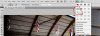
    No i found the answer and that is like on next image:

    How can i get two images side by side?-side-side.jpg


    Then you get nice two images side by side..
    Last edited by Windows7; 02-17-2011 at 04:05 PM.

  6. #6
    Guru
    Join Date
    Mar 2010
    Location
    Mesa, Arizona
    Posts
    1,108
    Thanks
    0
    Thanked 71 Times in 70 Posts

    Re: How can i get two images side by side?

    If you prefer the floating image instead of tabbed interface, go to Preferences-Interface and clear the checkbox for Open Documents as Tabs.

  7. #7
    Power User
    Join Date
    Feb 2011
    Posts
    249
    Thanks
    1
    Thanked 1 Time in 1 Post

    Re: How can i get two images side by side?

    Quote Originally Posted by hawkeye View Post
    If you prefer the floating image instead of tabbed interface, go to Preferences-Interface and clear the checkbox for Open Documents as Tabs.
    No man that is not what i want because i don't need it always to get them side by side..

  8. #8
    Newbie
    Join Date
    Feb 2011
    Posts
    1
    Thanks
    0
    Thanked 0 Times in 0 Posts

    Re: How can i get two images side by side?

    what are you saying
    Quote Originally Posted by Windows7 View Post
    Hi,

    Sometimes i see in instructionals that they get two images side by side and i looked how they do it but it seems i don't have that option in the right above corner.. .

    So not as two layers but two different images side by side..


Posting Permissions

  • You may not post new threads
  • You may not post replies
  • You may not post attachments
  • You may not edit your posts
Powered by vBulletin® Version 4.1.9
Copyright © 2012 vBulletin Solutions, Inc. All rights reserved.
Content Relevant URLs by vBSEO 3.6.0
Copyright 2011 Photoshop Gurus Forum. All rights reserved.
All times are GMT -5. The time now is 12:42 PM.
vBulletin Skins