sheeshshe1
Member
- Messages
- 11
- Likes
- 0
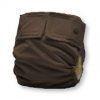
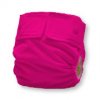
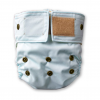
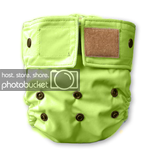
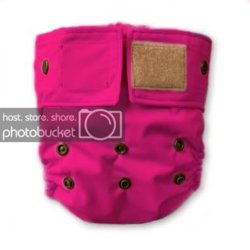
Hi Guys! New here and this is my first question.  I am taking one picture for a product picture for my cart. I am making them 8 different colors of the same image. I've been using the color replacement tool. I've been able to color 6 of the 8 colors.... Lime, light blue, natural, Yellow, pink, and lavender. I can not for the life of me figure out how to do the magenta and the chocolate brown. No matter what I have tried, the colors don't turn out right. The chocolate turns out a light beige and the magenta a light pink. I'm sure it has something to do with the darker colors being put on a lighter color, but how to do I fix that? I know it can be done because Ive had someone do it for me before (paid them). I'm just trying to learn how to do it myself. The color image I was using was a light blue color and all those colors I've listed above worked beautifully, except for the magenta and chocolate brown.
Thank you, I appreciate your help
I am taking one picture for a product picture for my cart. I am making them 8 different colors of the same image. I've been using the color replacement tool. I've been able to color 6 of the 8 colors.... Lime, light blue, natural, Yellow, pink, and lavender. I can not for the life of me figure out how to do the magenta and the chocolate brown. No matter what I have tried, the colors don't turn out right. The chocolate turns out a light beige and the magenta a light pink. I'm sure it has something to do with the darker colors being put on a lighter color, but how to do I fix that? I know it can be done because Ive had someone do it for me before (paid them). I'm just trying to learn how to do it myself. The color image I was using was a light blue color and all those colors I've listed above worked beautifully, except for the magenta and chocolate brown. Thank you, I appreciate your help