
Hello Photoshop Gurus -
What a great place! I'm really glad to have found you folks. Spent some time looking at many of the postings and various tutorials, but haven't quite found the correct combination to achieve this little project I'd like to try.
I'm an amateur astronomer and like to use on-line B&W images that are available to peruse for various goodies in the sky. The site that I visit offers three different views of an object. It can seen as taken with a red, blue or infrared filter.
A friend of mine uses his Photoshop 5.5 to merge the three together to produce a RGB false color final product. I've acquired a copy of Photoshop 6.0 and would like to do the same but need tips from you guys and gals to get me going.
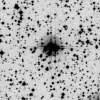
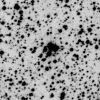
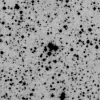
As an example, I'm attaching three B&W images that feature a nice gathering of stars near the center. The first was taken with a blue sensitive filter, the second in red light and the final one taken in infrared light.
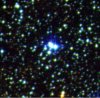
When combined they make this nice RGB image - the final attachment.
I haven't used my Photoshop 6 yet, but enjoy working with digital pictures in Elements 2.0 - so can probably pick up the steps if outlined clearly.
Hope you Groovy Gurus are up for this one.
Many Thanks,
James
What a great place! I'm really glad to have found you folks. Spent some time looking at many of the postings and various tutorials, but haven't quite found the correct combination to achieve this little project I'd like to try.
I'm an amateur astronomer and like to use on-line B&W images that are available to peruse for various goodies in the sky. The site that I visit offers three different views of an object. It can seen as taken with a red, blue or infrared filter.
A friend of mine uses his Photoshop 5.5 to merge the three together to produce a RGB false color final product. I've acquired a copy of Photoshop 6.0 and would like to do the same but need tips from you guys and gals to get me going.
As an example, I'm attaching three B&W images that feature a nice gathering of stars near the center. The first was taken with a blue sensitive filter, the second in red light and the final one taken in infrared light.
When combined they make this nice RGB image - the final attachment.
I haven't used my Photoshop 6 yet, but enjoy working with digital pictures in Elements 2.0 - so can probably pick up the steps if outlined clearly.
Hope you Groovy Gurus are up for this one.
Many Thanks,
James
