-
Junior Member
Duplicating layers with different opacity problem
Hi,
I'm a portrait photographer and I have learned some new techniques that require me to make some adjustments/apply filters/etc, on a background duplicate layer and then to tone down the effect that I've created by lowering the opacity of that new layer. Then, the guy flattens the image and proceeds to the next step in his editing workflow.
The problem I have is that I absolutely hate flattening an image because once it's done, you can't go back and tweak it. Since the top layer is not 100% opacity, I cannot duplicate it and use it to continue without flattening.
Is there a way around this problem? I really want to work in a non-destructive way and be able to go back and change/tweak any of my different layers if need be.
Thank you very much for any help/pointers you can provide.
Best regards,
Instant
-
-
Guru
Re: Duplicating layers with different opacity problem
What workflow? ... Some people so much get used to use jpg format that they just flatern everything even without any actual need.
Don't knowing about details i can say how i handle that kind of problem.
First of all trying to work with TIFF or PSD (windows usually don't want to show thumbnail of it so i preffer TIFF).
With TIFF can save everthing (almost) all layers, all adjusments layers and so and on and what is very important for me it supports transparancy so there's almost no reason to make complicate and sharp path. And all flaterning is done by other soft when its come to output (for my case Indesign generate printable PDF).
If your guy HAVE to flatern it then only sugestion is make your own TIFF copy it will cost a very large amount of memory but now it's relativy cheap.
-
-
Administrator
Re: Duplicating layers with different opacity problem
Hi Instant and welcome to PSG.
Sometimes you need to combine all the layers to do additional editing but it doesn't mean you need to flatten the image.
Lets say you have 4 layers, all visible.
You can "Stamp Visible" with Ctrl+Alt+Shift+E, Cmd+Option+Shift+E on a Mac (I think).
That will create a new composite layer of all the visible layers without deleting the the original 4.
Your guy can work on that new layer but you still have all your original layers.
-
The Following User Says Thank You to Steve For This Useful Post:
-
Junior Member
Re: Duplicating layers with different opacity problem
Steve,
Interesting. I didn't know that method. Now, SeniorS is right and I should have given a more detailed example of what this guy's workflow is like. This is something he does to adjust the skin tone and contrast using 3 different adjustment layers:
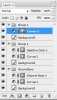
1. He creates a new adjustment layer with "Channel Mixer" and reduces the opacity of that layer to about 40%
2. He creates another adjustment layer with Channel mixer but this time, he changes the blend mode to screen. Then, again, he reduces the opacity to his desire.
3. Same process as above but now the blend mode is set to multiply and again, he changes the opacity of that layer to his desire.
4. He then groups all those layers together using "Layer Group" and then again, changes the opacity of the entire group to a lower setting!
5. Finally, once he is satisfied, he flattens everything.
Point #5 is my problem. Because of all the other processing he does, I find that sometimes, after all is done, I might want to go back and change that "skin tone and contrast" group to get a better overall result, but because he flatten everything, no can do!
Basically, everything he does is flatten all the time. His techniques are very interesting but the flattening renders them unsuitable for tweaking... almost like working directly on the background layer, which in my opinion is just about the worst thing one can do.
As for the format I use, I only shoot in RAW, and only work in PSD format. I have PS CS5 Extended. I only transform to jpeg once I'm done and ready to hand the product to the model/company.
I hope this makes my problem a bit clearer.
Kindest regards
-
-
Guru
Re: Duplicating layers with different opacity problem
In that case You can do just two things.
First ask him not to flatern (intresting tone correction will try it) or second - make copy.
If you exchange your works through shared disc or server then (if you have permision to change permissions) you can restrict "modify" file permission (or something like that). Then your guy can read file but will not be able to save over it but thats all depends on file system. So you will have two copies one with his job (flatern) done and one yours (but not with skin corrected). Little bit uncomfortable but thats exclude posibility to damage unrestoreable.
-
-
Junior Member
Re: Duplicating layers with different opacity problem
SeniorS, you cannot make a copy of a layer that is not 100% opacity and work on it. When you copy a layer, you copy also its attributes, opacity being one of them.
My question is, if I use Steve's method and Stamp Visible the layers, that new created layer will be 100%? If so, and I keep working based on that new top layer, if I go back and change something on the layers that were combined with the Stamp Visible, will the resulting layer change accordingly?
Ex: I do what I explain previously (the tone and contrast adjustment with 3 layers. I then use Steve's solution and Stamp Visible all 3 layers, thus creating a new layer above it at 100% opacity. I then continue and do another layer... say I apply a sharpening layer. If for some reason I go back and change one of the 3 adjustment Channel Mixer layer, will that change be visible or not with the above layers visible as well?
Thanks in advance.
-
-
Guru
Re: Duplicating layers with different opacity problem
No, changes will not "visible". Think of that new layer as new separate jpg (for example) file. Like you just happens to open file to edit it. So no way back to change Channel Mixer and continue work with that combained layer but you can make a new one anytime.
-
-
Junior Member
Re: Duplicating layers with different opacity problem
Then my initial question remains: How can I work around this problem... if at all possible?
-
-
Guru
Re: Duplicating layers with different opacity problem
From my point of view general soution is make copy my way or Steve's or combine it, like, copy flaterened image over your own and save all of it. Because if its flaterened at some point of workflow then its flaterened for good. But i just give just 99% sure of it.
-
-
Guru
Re: Duplicating layers with different opacity problem
I don't quite understand the problem, who is this guy who is flattening your psd files? If you need to hand off your work to someone else for additional editing, just rename and save a copy of the psd first for yourself. Then you can go back and do whatever you wish, regardless of what the guy does.
-
Tags for this Thread
Posting Permissions
- You may not post new threads
- You may not post replies
- You may not post attachments
- You may not edit your posts
Forum Rules
Powered by
vBulletin® Version 4.1.9
Copyright © 2012 vBulletin Solutions, Inc. All rights reserved.
Content Relevant URLs by
vBSEO 3.6.0
Copyright 2011 Photoshop Gurus Forum. All rights reserved.