-
Guru
Help with work in progress revisited
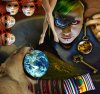
Hi! I started all over again with the thing I posted last time. This time I have actually put some work into it, and have been trying to use all your suggestions to make it better. Iīm still not done, but Iīm happier with the results this time.
What I need help with now is how to make the lighting look consistent, and again, maybe make the whole picture blend together, which I still havenīt figured out how to do. I would also appreciate any other suggstions about what I can do to make it better
/ vafann
-
-
Forum Mod
Re: Help with work in progress revisited
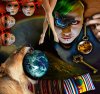
a completely new approach I see I much prefer this 1 all though the lion part looks a little bit flat compared to the other layers that pop out at you
-
-
Guru
Re: Help with work in progress revisited
Thank you Hoogleman! So you see I still have the same problem with the flat lion. I tried to bevel and eboss it, and make some kind of shadow, but it doesnīt work. Iīll try again. All these problems Iīm having are teaching me things though, I keep finding new techniques and ways to do things, and itīs fun but pretty exausting.
/ Vafann
-
-
Guru
Re: Help with work in progress revisited
Nice. I agree with Hoogleman lion need more contrast. For my eye earth are too bright and those 4face too. And hand a bit too yellow compared with face.
Little played with that 4 elements but then i thought that you want to make it by your own.
I can post i you want it, its not a big difference i think (and couldn't tell is that better or worth)
Rather than love, than money, than fame, give me truth. Đ Henry David Thoreau
-
-
Guru
Re: Help with work in progress revisited
Yes Senior S, Thank you! I understand. I see exactly what you mean, but I donīt know how to fix it. I think maybe I should put some kind of adjustment layer over everything to blend it all. I have tried that but I canīt get the whole picture to look consistant.
/ vafann
-
-
Guru
Re: Help with work in progress revisited
Me too
I just chaoticly played with white brush and blending modes/opacity.


Here psd file where you can see how it was. As i said chaoticly but hope you'll understand:
Blandad-collage-jpg.psd
Rather than love, than money, than fame, give me truth. Đ Henry David Thoreau
-
-
Guru
Re: Help with work in progress revisited
Hi Vafann
Usually the best way to blend tones, multiple exposures, etc, is using a color overlay whit lower opacity, from the layer style menu, or simply create a new layer and fill it whit color and set blending mode to overlay, in some cases you may use another blending mode, it depends on your image, and the mood style you are triying to achieve on your picture, i recommend using neutral colors like "996633","993333" or "669933", etc, the key is that the color shade to be used doesn't have to be too light or too dark, try finding a balanced color shade.
Hope this helps.
Cuando soy Bueno, soy muy BUENO
Pero cuando soy malo, soy mucho MEJOR
-
-
Guru
Re: Help with work in progress revisited
Thank you guys! I will try everything you have suggested.
/ vafann
-
-
Guru
Re: Help with work in progress revisited
can i just say Vafann. Fantastic work here! love it!
sorry, i'll shut up now :P
-
-
Forum Mod
Re: Help with work in progress revisited

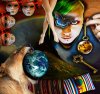
I used the liquify filter and bloated out the lion and earth a bit added a drop shadow then image > adjustment> HDR Toning maybe it will work for you
-
Tags for this Thread
Posting Permissions
- You may not post new threads
- You may not post replies
- You may not post attachments
- You may not edit your posts
Forum Rules
Powered by
vBulletin® Version 4.1.9
Copyright © 2012 vBulletin Solutions, Inc. All rights reserved.
Content Relevant URLs by
vBSEO 3.6.0
Copyright 2011 Photoshop Gurus Forum. All rights reserved.