+ Reply to Thread
Results 1 to 6 of 6
  1. #1
    Junior Member
    Join Date
    Sep 2011
    Posts
    5
    Thanks
    5
    Thanked 0 Times in 0 Posts

    Texture blending? Clipping mask?...or what? help please.

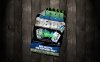
    Im trying to get this flyer to look more like its acctually ON the wood. i want to see the wood texture in the flyer without losing some opacity of the flyer....thanks in advance.
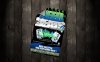
    Texture blending? Clipping mask?...or what? help please.-black-wood-flyer-torn.jpg

  2. #2
    Guru
    Join Date
    Apr 2011
    Location
    born in U.S.S.R.
    Posts
    1,742
    Thanks
    36
    Thanked 120 Times in 112 Posts

    Re: Texture blending? Clipping mask?...or what? help please.

    I don't think you can have both at same time - same opacity (colors) and noticable wood texture.
    Or you loose part(s) of flyer or only you'll know that there is texture over it.

    I tried to copy flyer on that wood and set blending to Soft Light (dunlicated 3 times). Looked normal for me.
    Or reverse. Copy texture over flyer with same Soft Light.

    Anyway there to many diferent result. You'll have to choose yourself which effect looks good.
    Rather than love, than money, than fame, give me truth. © Henry David Thoreau

  3. #3
    Junior Member
    Join Date
    Sep 2011
    Posts
    5
    Thanks
    5
    Thanked 0 Times in 0 Posts

    Re: Texture blending? Clipping mask?...or what? help please.

    Quote Originally Posted by SeniorS View Post
    I don't think you can have both at same time - same opacity (colors) and noticable wood texture.
    Or you loose part(s) of flyer or only you'll know that there is texture over it.

    I tried to copy flyer on that wood and set blending to Soft Light (dunlicated 3 times). Looked normal for me.
    Or reverse. Copy texture over flyer with same Soft Light.

    Anyway there to many diferent result. You'll have to choose yourself which effect looks good.
    Thanks for the advice..ill try it out now. i might just have to go with a wrinkled paper texture over the flyer. Thanks again for the good advice!

  4. #4
    Guru
    Join Date
    Apr 2011
    Location
    born in U.S.S.R.
    Posts
    1,742
    Thanks
    36
    Thanked 120 Times in 112 Posts

    Re: Texture blending? Clipping mask?...or what? help please.

    Welcomen!
    Rather than love, than money, than fame, give me truth. © Henry David Thoreau

  5. The Following User Says Thank You to SeniorS For This Useful Post:

    Daniel Bennett (09-05-2011)

  6. #5
    Guru
    Join Date
    Mar 2010
    Location
    Mesa, Arizona
    Posts
    1,108
    Thanks
    0
    Thanked 71 Times in 70 Posts

    Re: Texture blending? Clipping mask?...or what? help please.

    Copy the wood to a new layer above the sign. Try different blending modes and opacity to get the effect you're after. Mask as needed. I used Linear light at 60% opacity on this one.
    Attached Thumbnails Attached Thumbnails Texture blending? Clipping mask?...or what? help please.-screenshot003.jpg  


  7. The Following User Says Thank You to hawkeye For This Useful Post:

    Daniel Bennett (09-05-2011)

  8. #6
    Junior Member
    Join Date
    Sep 2011
    Posts
    5
    Thanks
    5
    Thanked 0 Times in 0 Posts

    Re: Texture blending? Clipping mask?...or what? help please.

    Quote Originally Posted by hawkeye View Post
    Copy the wood to a new layer above the sign. Try different blending modes and opacity to get the effect you're after. Mask as needed. I used Linear light at 60% opacity on this one.

    thanks hawkeye... i used some of your tips and played around with it.

    I duplicated the flyer, put the lower layer at soft light 75%. Then i left the upper duplicate at 100%. Used the eraser tool with a feather edge at several different pixel size and opacities to get the worn areas. Erased the wood cracks almost completly...here's what i got...does it look decent?

    again thanks for the advice.

    Texture blending? Clipping mask?...or what? help please.-black-wood-flyertorn-revised.jpg


Tags for this Thread

Posting Permissions

  • You may not post new threads
  • You may not post replies
  • You may not post attachments
  • You may not edit your posts
Powered by vBulletin® Version 4.1.9
Copyright © 2012 vBulletin Solutions, Inc. All rights reserved.
Content Relevant URLs by vBSEO 3.6.0
Copyright 2011 Photoshop Gurus Forum. All rights reserved.
All times are GMT -5. The time now is 01:17 PM.
vBulletin Skins