silverscreen201
Member
- Messages
- 5
- Likes
- 0
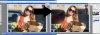
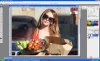
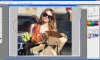
What I'm Trying To Do: darken an SUV window to make it look blacked out.
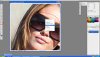
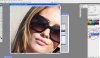
How I'm Doing It: spent over 90 minutes reading through Help documents, reading about Vanishing Point and the Stamp tool (wouldn't let me even select the Stamp Tool), tried using the Paint Brush, the Lasso Tool, tried Patching an area (someone in the photo is wearing sunglasses), and I'm obviously just too new to get any of it to work.
What I'm Seeking: someone who can talk stupid to me (I'm more of a beginner than I realized) and lay out how to make regular, see-through glass look like black glass. When I did it I either couldn't select the area properly (not sure which selection tool is best) or I couldn't get the black to look anything but fake, it just didn't look like black glass.
Any and all suggestions greatly appreciated.
How I'm Doing It: spent over 90 minutes reading through Help documents, reading about Vanishing Point and the Stamp tool (wouldn't let me even select the Stamp Tool), tried using the Paint Brush, the Lasso Tool, tried Patching an area (someone in the photo is wearing sunglasses), and I'm obviously just too new to get any of it to work.
What I'm Seeking: someone who can talk stupid to me (I'm more of a beginner than I realized) and lay out how to make regular, see-through glass look like black glass. When I did it I either couldn't select the area properly (not sure which selection tool is best) or I couldn't get the black to look anything but fake, it just didn't look like black glass.
Any and all suggestions greatly appreciated.