+ Reply to Thread
Page 2 of 2 FirstFirst 12
Results 11 to 12 of 12
  1. #11
    Guru
    Join Date
    Apr 2011
    Location
    born in U.S.S.R.
    Posts
    1,742
    Thanks
    36
    Thanked 120 Times in 112 Posts

    Re: Selecting layers from a flattened image

    I don't know what method you use.
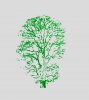
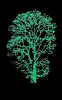
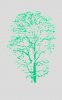
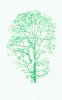
    I was talking about making that mask. If you use channel kinda selection then in this picture it isn't 0 white, it have light small but color. And muliplay makes it only darker and darker.
    Look at your mask. I bet it isn't white tree on black background but light tree on greyish background.
    Rather than love, than money, than fame, give me truth. © Henry David Thoreau

  2. #12
    Newbie
    Join Date
    Sep 2011
    Posts
    3
    Thanks
    0
    Thanked 0 Times in 0 Posts

    Re: Selecting layers from a flattened image

    Thanks for your help guys.

    I sound like I know what i'm talking about Paul, but alas, I do not. However I couldn't quite get to grips with the method to remove it from the rasterized image.

    After you said it was similar to hair extraction. I remember reading about that a while back and ended up using the Filter > Extract... tool and it worked a dream. Thanks for steering me in the right direction.

    I'll stick around and see if I can help others out with my limited knowledge.

    John.


Tags for this Thread

Posting Permissions

  • You may not post new threads
  • You may not post replies
  • You may not post attachments
  • You may not edit your posts
Powered by vBulletin® Version 4.1.9
Copyright © 2012 vBulletin Solutions, Inc. All rights reserved.
Content Relevant URLs by vBSEO 3.6.0
Copyright 2011 Photoshop Gurus Forum. All rights reserved.
All times are GMT -5. The time now is 01:20 PM.
vBulletin Skins