+ Reply to Thread
Page 2 of 2 FirstFirst 12
Results 11 to 19 of 19
  1. #11
    Forum Mod
    Join Date
    Jun 2011
    Location
    Uk
    Posts
    5,620
    Thanks
    85
    Thanked 449 Times in 424 Posts

    Re: Need help blending two image~

    And is that better

  2. #12
    Guru
    Join Date
    Jul 2009
    Location
    right in front of you
    Posts
    5,906
    Thanks
    23
    Thanked 147 Times in 144 Posts

    Re: Need help blending two image~

    Need help blending two image~-black.pngthts what i would do>>black.psd.zip

  3. The Following 2 Users Say Thank You to iDad For This Useful Post:

    Davin Salo (10-20-2011), Kieu21 (10-19-2011)

  4. #13
    Forum Mod
    Join Date
    Jun 2011
    Location
    Uk
    Posts
    5,620
    Thanks
    85
    Thanked 449 Times in 424 Posts

    Re: Need help blending two image~

    agreed!!!!!

  5. #14
    Junior Member
    Join Date
    Oct 2011
    Posts
    7
    Thanks
    2
    Thanked 0 Times in 0 Posts

    Re: Need help blending two image~

    thanks for the help~ but that wasnt what i was looking for either. i guess ill just give up for now.

  6. #15
    Junior Member
    Join Date
    Oct 2011
    Posts
    7
    Thanks
    0
    Thanked 1 Time in 1 Post

    Re: Need help blending two image~

    Added some shiny effects . I am no Guru. Just experimenting. hehe
    Need help blending two image~-test1.jpg

  7. #16
    Member
    Join Date
    Jun 2011
    Location
    Sioux Lookout, ON, Canada
    Posts
    34
    Thanks
    4
    Thanked 5 Times in 5 Posts

    Re: Need help blending two image~

    Hey,

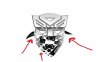
    Looks to me like you're going to want to change one of two things to get those two images to merge. Let me know if I totally missed the boat on this one :P. I gave it a shot anyhow.

    1. Change the bandanna to look like the autobot logo.

    This will require adding shading to the bandanna illustration to match the 3d look of the autobot logo. They never hit pure black (which your bandanna was illustrated in) and there is gradients applied to the different angled surfaces.

    I haven't tried my hand at at adding texture and shading fabrics, and this lead me to try an alternate strategy.

    2. Easier way - knock back the gradients on the autobot logo so they're a flat black.

    This would give the same effect that your bandanna illustration gives, while merging them visually. Tried it out myself and it seems to work fine. You can see what I did here:


    Because I don't have the original file I created a mask over the autobot logo with the lassoe tool and copied it up to a new layer. After I had that I could mess with either layer and make the changes without modifying the type I wanted to switch to.

    I sized down the bandana to match the edge of the autobot's face (off on the left), and applied a levels edit (brought up the darks, brought down the whites). I think it ties it together nicely. Don't push it too far or it get's nice and grainy.

    Since that'll knock the autobot to black it matches the bandanna closer, but since I can't get a really nice selection of your bandanna, I'm just going to hope you have a better selection than I do of it so you an edit the colour to match just that extra bit better.

    Hope this helps, I had fun anyways :P.

  8. The Following User Says Thank You to Davin Salo For This Useful Post:

    Kieu21 (10-20-2011)

  9. #17
    Junior Member
    Join Date
    Oct 2011
    Posts
    7
    Thanks
    2
    Thanked 0 Times in 0 Posts

    Re: Need help blending two image~

    thanks for trying, i just went all black on the autobot logo instead.

  10. #18
    Forum Mod
    Join Date
    Jun 2011
    Location
    Uk
    Posts
    5,620
    Thanks
    85
    Thanked 449 Times in 424 Posts

    Re: Need help blending two image~

    Here you go I just mocked up some similar style transformer logos different shading effects just switch of the layer versions you do not fancy.
    And have a play around
    Transformers.psd

  11. #19
    Member
    Join Date
    Jun 2011
    Location
    Sioux Lookout, ON, Canada
    Posts
    34
    Thanks
    4
    Thanked 5 Times in 5 Posts

    Re: Need help blending two image~

    Missed this one... apparantly I took too long throwing my windbag together. I like the texture. I guess if you REALLY wanted to get technical on the texture you could put the texture on the layer above, option click and apply the texture to the image, then warp the texture to match the folds of the cloth. Time consuming... but more accurately making the image "real" n' stuff.


Tags for this Thread

Posting Permissions

  • You may not post new threads
  • You may not post replies
  • You may not post attachments
  • You may not edit your posts
Powered by vBulletin® Version 4.1.9
Copyright © 2012 vBulletin Solutions, Inc. All rights reserved.
Content Relevant URLs by vBSEO 3.6.0
Copyright 2011 Photoshop Gurus Forum. All rights reserved.
All times are GMT -5. The time now is 01:25 PM.
vBulletin Skins