+ Reply to Thread
Page 1 of 3 123 LastLast
Results 1 to 10 of 24
Like Tree2Likes

Thread: help me! filters

  1. #1
    Junior Member
    Join Date
    Oct 2011
    Location
    Ireland
    Posts
    7
    Thanks
    0
    Thanked 1 Time in 1 Post

    help me! filters

    ok guys im a bit stuck, i did this photo a few months ago but i cant for the life of me remember how i got the background to explode into boxes like that...can anyone help me? thanks in advance!
    Attached Thumbnails Attached Thumbnails help me! filters-help.jpg  


  2. #2
    Guru
    Join Date
    Jul 2011
    Location
    on a computer... duuh
    Posts
    1,331
    Thanks
    90
    Thanked 40 Times in 38 Posts

    Re: help me! filters

    3D repousse?

  3. #3
    Junior Member
    Join Date
    Oct 2011
    Location
    Ireland
    Posts
    7
    Thanks
    0
    Thanked 1 Time in 1 Post

    Re: help me! filters

    nope i dont have the option to do that!!

  4. #4
    Guru
    Join Date
    Jul 2011
    Location
    on a computer... duuh
    Posts
    1,331
    Thanks
    90
    Thanked 40 Times in 38 Posts

    Re: help me! filters

    ah XD okay sorry, i can't really help i might think of it somewhere along the line :P

  5. #5
    Forum Mod
    Join Date
    Jun 2011
    Location
    Uk
    Posts
    5,620
    Thanks
    85
    Thanked 449 Times in 424 Posts

    Re: help me! filters

    it looks like you have blended in another image

  6. #6
    Junior Member
    Join Date
    Oct 2011
    Location
    Ireland
    Posts
    7
    Thanks
    0
    Thanked 1 Time in 1 Post

    Re: help me! filters

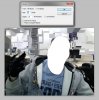
    this is the original pic i know i made a selection of everything but my friend, and from there i dont know what i did to get it to do that :(
    Attached Thumbnails Attached Thumbnails help me! filters-11.jpg  


  7. #7
    Forum Mod
    Join Date
    Jun 2011
    Location
    Uk
    Posts
    5,620
    Thanks
    85
    Thanked 449 Times in 424 Posts

    Re: help me! filters

    Have you added any filters to your photoshop I ask because I have practically every good filter and have not come across it but will have a play with photoshop filters if you have not got any 3rd party plugins etc.

  8. #8
    Forum Mod
    Join Date
    Jun 2011
    Location
    Uk
    Posts
    5,620
    Thanks
    85
    Thanked 449 Times in 424 Posts

    Re: help me! filters

    If I was to have a guess I think you have done something like this tutorial but with the background
    Create a Face Shattering Effect | 10Steps.SG

  9. #9
    Forum Mod
    Join Date
    Jun 2011
    Location
    Uk
    Posts
    5,620
    Thanks
    85
    Thanked 449 Times in 424 Posts

    Re: help me! filters

    or you have made lots of square selections copied onto a new layer and played with bevel and emboss and used a grey shado unlike the black 1 in my pic
    help me! filters-11.png

  10. #10
    Forum Mod
    Join Date
    Jun 2011
    Location
    Uk
    Posts
    5,620
    Thanks
    85
    Thanked 449 Times in 424 Posts

    Re: help me! filters

    Closest I can get in a simple ways is duplicating the image then go to filter > texture> patchwork then mask out your buddy but I am sure there is more to it than that as you cant make the patch boxes as big as yours


Tags for this Thread

Posting Permissions

  • You may not post new threads
  • You may not post replies
  • You may not post attachments
  • You may not edit your posts
Powered by vBulletin® Version 4.1.9
Copyright © 2012 vBulletin Solutions, Inc. All rights reserved.
Content Relevant URLs by vBSEO 3.6.0
Copyright 2011 Photoshop Gurus Forum. All rights reserved.
All times are GMT -5. The time now is 01:25 PM.
vBulletin Skins