
Photoshop Gurus Forum
Welcome to Photoshop Gurus forum. Register a free account today to become a member! It's completely free. Once signed in, you'll enjoy an ad-free experience and be able to participate on this site by adding your own topics and posts, as well as connect with other members through your own private inbox!
You are using an out of date browser. It may not display this or other websites correctly.
You should upgrade or use an alternative browser.
You should upgrade or use an alternative browser.

$1r_M4x1mu$
Guru
- Messages
- 1,487
- Likes
- 294
Hi jack3216
Well, what we need to keep in mind is the different color spaces that PS can handle.
This may help clearing the concept, color Space and Color Profiles
Also if you are going to print your images at home you can print your work easily using the default RGB color space, most home printers should work just fine whit this color space, unless you are going to send you file to be printed on a commercial printer in which case you'll need to create and work your document in CMYK color space, other ways your colors will look awful and washed out.
Hope this helps.
Well, what we need to keep in mind is the different color spaces that PS can handle.
This may help clearing the concept, color Space and Color Profiles
Also if you are going to print your images at home you can print your work easily using the default RGB color space, most home printers should work just fine whit this color space, unless you are going to send you file to be printed on a commercial printer in which case you'll need to create and work your document in CMYK color space, other ways your colors will look awful and washed out.
Hope this helps.
Thankyou for your quick reply. Basically i am printing from my printer at home as i just want the best image for picture framing. What settings should i use in my printer. Also i see in the Adobe profile my make of printer. Do you advise to use colour management in adobe along with my printer settings. Please excuse my ignorance
$1r_M4x1mu$
Guru
- Messages
- 1,487
- Likes
- 294
Using your color profile from PS RGB will work fine whit your printer, the prints quality will depend entirely up to you, by selecting "good, medium or high printing quality.
Another thing to keep in mind, is the resolution of your document, the recommended resolution for printing is 150px and up, depending on the size of the document, if resolution is lower that that, you most likely end it up whit a pixelated and blurry image.
This may also help, Image Resolution and Print Quality
Another thing to keep in mind, is the resolution of your document, the recommended resolution for printing is 150px and up, depending on the size of the document, if resolution is lower that that, you most likely end it up whit a pixelated and blurry image.
This may also help, Image Resolution and Print Quality

Steve
Retired Administrator
- Messages
- 7,720
- Likes
- 1,475
In the print preview window first select your printer then under Color Handling select Photoshop Manages Colors.
Under Printer Profile select the exactly what you're outputting to.
In your case since it's your own printer you select the exact paper you're using.
In my case it's Fine Art Photo Rag.
Click on Print Settings and select the paper, and size, and disable any printer color management features in the print settings duologue box.
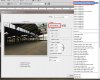
Under Printer Profile select the exactly what you're outputting to.
In your case since it's your own printer you select the exact paper you're using.
In my case it's Fine Art Photo Rag.
Click on Print Settings and select the paper, and size, and disable any printer color management features in the print settings duologue box.
Once again thank you for your invaluable help. I found in the past if i had settings like following
In ADOBE Document untagged RGB : Profile :My printer :Intent : Relative Colormetric
My Printer Settings In Printer Colour Management I chose the option ICM. If a choose any other options colour is nothing like the image. I would appreciate if you could confirm i am on right track
In ADOBE Document untagged RGB : Profile :My printer :Intent : Relative Colormetric
My Printer Settings In Printer Colour Management I chose the option ICM. If a choose any other options colour is nothing like the image. I would appreciate if you could confirm i am on right track
Steve
Retired Administrator
- Messages
- 7,720
- Likes
- 1,475
In ADOBE Document untagged RGB
That's the color space (I think) your document is using.
In your case you're not color managing.
I'm a photographer and for me that's listed as Adobe RGB 1998.
Profile :My printer
If you mean "My Profile" no it's not your printer.
You already selected your printer on the top of the page, see my attachment Printer: Canon Inject Pro9000.
In My Profile you select the paper you're printing to.
Intent is subjective.
Relative Colormetric with Black Point Compensation is the best starting point, but experiment. Another option may be better for you.
As a rule Printer Color Management should be set to None not ICM.
Those are the general rules.
Break any or all of them if you feel you get better results by doing so.
That's the color space (I think) your document is using.
In your case you're not color managing.
I'm a photographer and for me that's listed as Adobe RGB 1998.
Profile :My printer
If you mean "My Profile" no it's not your printer.
You already selected your printer on the top of the page, see my attachment Printer: Canon Inject Pro9000.
In My Profile you select the paper you're printing to.
Intent is subjective.
Relative Colormetric with Black Point Compensation is the best starting point, but experiment. Another option may be better for you.
As a rule Printer Color Management should be set to None not ICM.
Those are the general rules.
Break any or all of them if you feel you get better results by doing so.
Been looking at my printer settings again with regards using with photoshop 7. In my printer settings the only way i can enable no colour management is to have ICM activated in conjuction with it. Also i was looking in colour management there is an option to choose ADOBE RGB could anyone advise with regards to using this option.
Steve
Retired Administrator
- Messages
- 7,720
- Likes
- 1,475
.................................. the only way i can enable no colour management is to have ICM activated in conjuction with it. Also i was looking in colour management there is an option to choose ADOBE RGB could anyone advise with regards to using this option.
Every printer is different and the setting may be worded differently.
I don't what you mean "the only way i can enable no colour management is to have ICM activated".
ICM stands for Image Color Management.
Somewhere you'll see an ICM duologue box and set it to "None" or "Disabled"
You may need to set ICM from auto to manual to find these settings.
In that case select manual and make sure the manual settings are set to 0.
Then find some kind of ICM duologue box and set it to "None" or "Disabled"
" i was looking in colour management there is an option to choose ADOBE RGB"
You're being to vague.
Where, in the printer settings or back in PS?
Sorry if i was misleading you or confusing you. If ICM box is ticked i have an option of ticking a box COLOUR ADJUSTMENT on or off. The other option i was referring to is if the COLOUR CONTROL box is ticked in that there is an option to use ADOBE RGB. My printer is Epson PX720WD. At present i have my Photoshop7 set at COLOUR MANAGEMENT. I apoligise for my lack of knowledge regarding this.
Steve
Retired Administrator
- Messages
- 7,720
- Likes
- 1,475
Right, that one you set to off.If ICM box is ticked i have an option of ticking a box COLOUR ADJUSTMENT on or off
No need to apologize for anything Jack but understand the more info you provide the faster we can provide an answer.The other option i was referring to is if the COLOUR CONTROL box is ticked in that there is an option to use ADOBE RGB
All printers have a different way of getting to the settings and I don't have your printer.
OK so there's an option for Adobe RGB, but what are the other options?
I found THIS, maybe it will help but I only found one thing marked "COLOUR CONTROL".
It seems another option is "PhotoEnhance", are there any more?
Is there one marked None or Off?
Yes there are many options including photo enchance to use, but i was advised if i want to use colour management in photoshop 7 that colour management in printer settings need to be switched off. This is why i was interested in the option COLOUR CONTROL which has the option of ADOBE RGB 2.2 GAMMA. If i used this in my printer settings what would be my settings un photoshop 7.
Steve
Retired Administrator
- Messages
- 7,720
- Likes
- 1,475
I know, I advised you.jack3216 said:i was advised if i want to use colour management in photoshop 7 that colour management in printer settings need to be switched off
Please re-read messages 5, 7, and 10.what would be my settings un photoshop 7.
I understand that but like I said I don't have your printer so I don't know what that control does.jack3216 said:i was interested in the option COLOUR CONTROL which has the option of ADOBE RGB 2.2 GAMMA
I can't find anything compatible on my printers.
OK I found this but I'm just guessing here.
Epson America, Inc. - Support - Highlights
The image under #8, under color management select ICM.
Click it off.jack3216 said:If ICM box is ticked i have an option of ticking a box COLOUR ADJUSTMENT on or off (Message 11)
That's all I have Jack, good luck.