-
Marque/Lasoo Tool leaves white outline
Hi, I have an image I'm trying to split into multiple layers. When I cut a section of the starting image out an paste it onto another layer it leaves a noticeable white outline or gap between the "background" and the cutout part of the image. How do I avoid doing this? I'm using Photoshop CS5.1. Thanks in advance.
-
-
Re: Marque/Lasoo Tool leaves white outline
Copy the selected content in a new layer, and then move it with the "Move" tool (shortcut "V").
-
-
Administrator
Re: Marque/Lasoo Tool leaves white outline
-
-
Re: Marque/Lasoo Tool leaves white outline
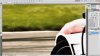
Yeah I tried moving the image around but it never quite fits. Here is an example of what's happening:
-
-
Forum Mod
Re: Marque/Lasoo Tool leaves white outline
Have you checked your feather and antialias setting at 0 before you made the selection and cut?
-
-
Re: Marque/Lasoo Tool leaves white outline
99% sure I had feather set to 0. I'm pretty sure I turned AA off. Anyway found a solution copy the entire background layer onto another layer then cut it out. It seems to fix my problem. Thanks anyway to all those who tried to help me with my problem
-
-
Guru
Re: Marque/Lasoo Tool leaves white outline
Hi InPower
Well, I've seem this happening before, the way i work whit it is, once you got your selection, just increase it by 1px, and then copy and paste it on another layer, or create a new layer from it, then you'll see that your 1px gap will be gone, btw, this is just a work around that seems to fix this issue.
Hope this helps
Cuando soy Bueno, soy muy BUENO
Pero cuando soy malo, soy mucho MEJOR
-
Tags for this Thread
Posting Permissions
- You may not post new threads
- You may not post replies
- You may not post attachments
- You may not edit your posts
Forum Rules
Powered by
vBulletin® Version 4.1.9
Copyright © 2012 vBulletin Solutions, Inc. All rights reserved.
Content Relevant URLs by
vBSEO 3.6.0
Copyright 2011 Photoshop Gurus Forum. All rights reserved.