
+ Reply to Thread
Results 1 to 5 of 5
  1. #1
    Member
    Join Date
    May 2011
    Posts
    36
    Thanks
    0
    Thanked 0 Times in 0 Posts

    Please Help... I'm at the end of my rope!!

    Hi,

    I am totally frustrated.

    I made this outline with the pen tool and I want to put it on a new layer in the layers panel so that I can add some fx to it. What I want to do is a add a pattern inside of it (diagonal lines), but:
    • I cannot figure out how to copy and paste it from the paths panel to a layers in the layers panel so that it is editable;
    Can this be done?

    The final effect I am looking for is to have diagonal lines inside the outline with transparency between the lines.
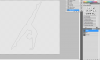

    Please Help... I'm at the end of my rope!!-capture.png

  2. #2
    Administrator
    Join Date
    Jul 2010
    Location
    New Jersey, USA
    Posts
    4,744
    Thanks
    12
    Thanked 160 Times in 150 Posts

    Re: Please Help... I'm at the end of my rope!!

    Ctrl + Enter turns the path into a selection, does that help?

  3. #3
    Member
    Join Date
    May 2011
    Posts
    36
    Thanks
    0
    Thanked 0 Times in 0 Posts

    Re: Please Help... I'm at the end of my rope!!

    Hi Steve,

    No. I have no problem selecting the path. What I can't do is move the outline onto a new layer so that I can edit it so that the outline is filled with diagonal lines with transparency between the lines. I want the final image to look like this:

    Please Help... I'm at the end of my rope!!-capture.png

    But as you can see there is a white fill between the lines and I want that fill gone so it is transparent between the lines.
    I tried using the magic eraser but ir erased everything.

  4. #4
    Power User
    Join Date
    Sep 2010
    Location
    Southern, Illinois
    Posts
    391
    Thanks
    11
    Thanked 38 Times in 37 Posts

    Re: Please Help... I'm at the end of my rope!!

    Take this exact image and create a blank layer underneath it. Use blend if sliders in the blending options dialoge box and slide the white handled slide left till the white disappears. Then press cntr+shift+alt+E to merge these to layers onto a new layer.

  5. The Following User Says Thank You to Stric9 For This Useful Post:

    Vafann (11-17-2011)

  6. #5
    Member
    Join Date
    May 2011
    Posts
    36
    Thanks
    0
    Thanked 0 Times in 0 Posts

    Re: Please Help... I'm at the end of my rope!!

    Wow Stric9,

    Beautiful. Worked like magic.

    Can't thank you enough.


    Cheers


Tags for this Thread

Posting Permissions

  • You may not post new threads
  • You may not post replies
  • You may not post attachments
  • You may not edit your posts
Powered by vBulletin® Version 4.1.9
Copyright © 2012 vBulletin Solutions, Inc. All rights reserved.
Content Relevant URLs by vBSEO 3.6.0
Copyright 2011 Photoshop Gurus Forum. All rights reserved.
All times are GMT -5. The time now is 01:30 PM.
vBulletin Skins