+ Reply to Thread
Page 2 of 2 FirstFirst 12
Results 11 to 16 of 16
  1. #11
    Member
    Join Date
    Mar 2010
    Posts
    61
    Thanks
    6
    Thanked 0 Times in 0 Posts

    Re: Saving large photo for web, but quality is bad

    still bad quality. How can I load my photoshop file? It's 51 megs

  2. #12
    Member
    Join Date
    Oct 2011
    Location
    Swansea, Wales
    Posts
    92
    Thanks
    4
    Thanked 9 Times in 9 Posts

    Re: Saving large photo for web, but quality is bad

    Did you say earlier that the final size needed to be 400x300? If you re-size your PSD to these settings (I presume you are working on 300 DPI) the file should be small enough to attach to a post so people can have a look.

  3. #13
    Member
    Join Date
    Mar 2010
    Posts
    61
    Thanks
    6
    Thanked 0 Times in 0 Posts

    Re: Saving large photo for web, but quality is bad

    test.psd

    Here it is - using a 96 dpi 400x300

  4. #14
    Member
    Join Date
    Oct 2011
    Location
    Swansea, Wales
    Posts
    92
    Thanks
    4
    Thanked 9 Times in 9 Posts

    Re: Saving large photo for web, but quality is bad

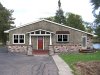
    Re-sized this and put it alongside the original PSD you posted, tbh there isn't a huge difference that I can see, main problem is the jagged edge to some of the roof lines but they are also visible on the PSD... Size of the attached is 80k but it would be easy enough to reduce that down if you wanted.

    Saving large photo for web, but quality is bad-test.jpg

  5. The Following User Says Thank You to webwize For This Useful Post:

    puppychew (11-30-2011)

  6. #15
    Member
    Join Date
    Mar 2010
    Posts
    61
    Thanks
    6
    Thanked 0 Times in 0 Posts

    Re: Saving large photo for web, but quality is bad

    It looked so good in photoshop. Maybe I will try sharpening it. Thanks for looking at it.

  7. #16
    Junior Member
    Join Date
    Nov 2011
    Posts
    13
    Thanks
    0
    Thanked 2 Times in 2 Posts

    Re: Saving large photo for web, but quality is bad

    first crop your project in your specified size of 400x300 and then ctrl + alt + shift to save for web and select jpg with 100% quality.. maybe you should assign 25% so you get an image with poor quality.. hope this help..


Posting Permissions

  • You may not post new threads
  • You may not post replies
  • You may not post attachments
  • You may not edit your posts
Powered by vBulletin® Version 4.1.9
Copyright © 2012 vBulletin Solutions, Inc. All rights reserved.
Content Relevant URLs by vBSEO 3.6.0
Copyright 2011 Photoshop Gurus Forum. All rights reserved.
All times are GMT -5. The time now is 01:38 PM.
vBulletin Skins