
-
Junior Member
Making a Border in Photoshop (Distorted at 100%)
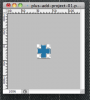
I created an image in Photoshop - a plus sign with a rounded border and a 1 pixel gap between the two. When I view it within Photoshop at 100%, the border is distorted and looks terrible. When I view it at 1600%, the border is fine - when I export to PNG, the resulting image is perfect.
Wondering if there is some "pixel perfect" setting I need to turn on when viewing within Photoshop?
Thanks,
-Luther
-
-
Power User
Re: Making a Border in Photoshop (Distorted at 100%)
Not that I know of. Sometimes the way an image is displayed at certain resolutions makes it appear distorted. Try changing your desktop resolution and then view it at 100% and see if it changes.
-
-
Junior Member
Re: Making a Border in Photoshop (Distorted at 100%)
Ah ... hiding the Extras (paths/guides/etc) did the trick. The distortion came from the path just not scaling well. Thanks!
-
Tags for this Thread
Posting Permissions
- You may not post new threads
- You may not post replies
- You may not post attachments
- You may not edit your posts
Forum Rules
Powered by
vBulletin® Version 4.1.9
Copyright © 2012 vBulletin Solutions, Inc. All rights reserved.
Content Relevant URLs by
vBSEO 3.6.0
Copyright 2011 Photoshop Gurus Forum. All rights reserved.