-
PS CS5 using too much RAM
Hi All,
I have Photoshop CS5 on my Macbook Pro that has 8GB RAM and Photoshop seems to be using up a lot of memory, sometimes 2GB! Yesterday Photoshop was open with no documents open, the app was just running in the background and it still was using 1.6GB...
Does anyone else notice this? I was wondering if there is maybe a cache or history that I need to clear every once in a while?
Regards
James
-
-
Re: PS CS5 using too much RAM
Hi Ivan, Purge seems to be Greyed out..?
I probably should have noted that I have the extended version of PS. I'm actually using a subscription
-
-
Member
Re: PS CS5 using too much RAM
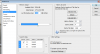
Go to "photoshop" and then prefrences, and choose performances, and adjust the amount of ram alocated to photoshop.
Last edited by Hoogle; 01-02-2012 at 02:13 PM.
-
-
Forum Mod
Re: PS CS5 using too much RAM
Hi salvadore
I felt there was no need for your links and web address as it was not referring to anything on topic If you are the owner of the site and all the rights to the material on the site or followed copyright rules then you can put a link in your signature to your personal photoshop site but please do not post links on threads unless they answer a specific question and on topic to the thread in question.
here are the rules
Signatures
No SPAM in sigs will be permitted. You are allowed to put a link to your personal or professional website, portfolio, or other site RELATED in some way to Photoshop or any kind of visual design. Anything else will be considered spam and you risk losing your account over it. If you are in doubt about what links might be included in your sign PM a staff member and ask.
You must have at least 8 non-spam posts before you create a signature.
If you would like to advertise your site with Photoshop Gurus Then please contact
admin or Steve
Thank you for your cooperation
-
-
Re: PS CS5 using too much RAM
Go to Edit - Preferences - Performences. Play with control, replay if you something isn't creal.
-
Tags for this Thread
Posting Permissions
- You may not post new threads
- You may not post replies
- You may not post attachments
- You may not edit your posts
Forum Rules
Powered by
vBulletin® Version 4.1.9
Copyright © 2012 vBulletin Solutions, Inc. All rights reserved.
Content Relevant URLs by
vBSEO 3.6.0
Copyright 2011 Photoshop Gurus Forum. All rights reserved.