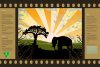
Hi guys just wondering if anyone fancied giving me some tips on my images and how I could make them look more realistic.
anyway my objective is to create 2 images, one will be of an optical illisuion demonstrating I can use the techniques that have been taught (yeah right). the second image will be of a similar theme but will be sort of like an anotated version explaining your inspiration, artistic decisions and detailing the techniques used.
the moment you've all been waiting for, My images!
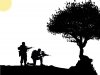
heres my first submission which although quite good lacks a background ect.
I then played with it untill it looked like this.
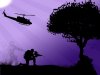
I quite like it but thats supposed to be a moon in the top left, and I need to work some more illisuions in there if I can.
We then move on to my 2nd image:
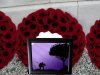
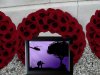
as you can tell this is a real mess! i really want the image/frame to look more real and inline with the wreath.
The bottom line is can people please give me some feedback on improvements they would make and how they would go about it. maybe give possible ideas into more optical illiusions. also tips on where I can place my words on my annotated version and how I can make the photo/frame more realistic.
any help given is much appreciated!!!!!!!!!!!!!
anyway my objective is to create 2 images, one will be of an optical illisuion demonstrating I can use the techniques that have been taught (yeah right). the second image will be of a similar theme but will be sort of like an anotated version explaining your inspiration, artistic decisions and detailing the techniques used.
the moment you've all been waiting for, My images!
heres my first submission which although quite good lacks a background ect.
I then played with it untill it looked like this.
I quite like it but thats supposed to be a moon in the top left, and I need to work some more illisuions in there if I can.
We then move on to my 2nd image:
as you can tell this is a real mess! i really want the image/frame to look more real and inline with the wreath.
The bottom line is can people please give me some feedback on improvements they would make and how they would go about it. maybe give possible ideas into more optical illiusions. also tips on where I can place my words on my annotated version and how I can make the photo/frame more realistic.
any help given is much appreciated!!!!!!!!!!!!!