1Likes
-
Can't Achieve This Effect
Hi,
I'm pretty new to Photoshop (just bought CS5 a few months ago) and I'm trying to achieve the effect shown in the url referenced below. (I'm referring to the semi-transparent vertical bars that move back and forth over the photos.) I can't seem to get the "frosted/blurred look". I've tried blurring a semi-transparent rectangle as well as using Filter | Distort | Glass | Frosted ..., but I can't seem to get the same effect.
Anyone have any ideas?
Thanks for any suggestions I could try.
ginger
p.s. I just found I can't post a url since I'm new, so if anyone wants to take the time to look, it's the designsforliving dot com home page.
-
-
Forum Mod
Re: Can't Achieve This Effect
Designs for Living - Home
I assume you just want the effect and not the flash animated part
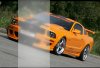
Load up your image create a new layer using the square marquee tool draw out a rectangle over the image and fill with white.
Go to filter>Blur> Gaussian blur and blur it out and set to soft light in the layer blending mode and lower the opacity of the layer
select any selection tool and right click in the box and select stroke and apply a white stroke to the ouside of the box.
now hold down the control key and click that layer to bring up the selection box again
select the image layer
Go to filter> Blur > Gaussian blur and blur it slightly
and you will get something like this
-
The Following User Says Thank You to Hoogle For This Useful Post:
-
Re: Can't Achieve This Effect
Hey, thanks Hoogle. That looks like just what I want, but a couple of problems:
1. I do actually want to animate it, so I need the bar to be a separate .png (or gif I guess).
2. Aside from that ... I followed your instructions, but didn't quite come up with the same thing. When I set the layer mode to soft light, it loses almost all opacity (without even adjusting opacity slider).
3. Do I need to go back to the background layer to select the stroke?
I seem to be doing something wrong.
Any thoughts? Also, how much radius on Gaussian Blur did you apply to the first selection?
Thanks!
ginger
-
-
Forum Mod
Re: Can't Achieve This Effect
I put the blur up way high obviously it all varys per picture if your using a bright picture to begin with then you will not want the blending mode to soft light maybe just normal and lower the opacity. The stroke is around the white panel you created.
However animating this in photoshop is not really easy unless you want a gif version the 1 in your sample is animated flash.
ok animating the white pane will be easy enough as a gif but if you want the blur in the background image you are going to have to do several layers with blur lining up with your animated white panel Could be time consuming.
I do not know enough about flash to instruct you on this but it could be done in after effects as a video quite easily I assume it depends what you want the final outcome of the animation to be for.
-
-
Re: Can't Achieve This Effect
I actually copied your photo and tried it with yours and can't figure out why the soft light mode makes it lose all opacity. Also, the stroke only shows up if I don't change the blending mode.
Aside from that, I know how to animate using Swishmax, but it sounds like I won't be able to maintain the blur unless it's attached to the photo, which won't work. It needs to be separate so that it can move across independent of the background.
Is this correct?
Thanks again!
ginger
-
-
Forum Mod
Re: Can't Achieve This Effect
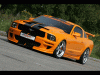
Here is a rough version using soft light

I have not put the stroke on this 1 nor have I done all the frames if you want it smooth you will need more frames
here is my psd
ford-mustang-9.psd
-
-
Forum Mod
Re: Can't Achieve This Effect
Oh and your probably adding to much gaussian blur to the white layer if it is transparant in the sample in my last post i had no blur on it hence it is a bit brighter
-
-
Re: Can't Achieve This Effect
Hmmm, can't get it to look like your first image. As for the animation I can get smooth animation with Swishmax (creates .swf files like Flash). I'll keep working on it.
Thanks again!
ginger
-
-
Silly Trucker
Re: Can't Achieve This Effect
Did this with cs5 and it's animation.
-
The Following User Says Thank You to Paul For This Useful Post:
-
Re: Can't Achieve This Effect
Hi Paul,
I need a more subtle, smooth animation, but it's good to know that CS5 has some animation capabilities.
ginger
-
Tags for this Thread
Posting Permissions
- You may not post new threads
- You may not post replies
- You may not post attachments
- You may not edit your posts
Forum Rules
Powered by
vBulletin® Version 4.1.9
Copyright © 2012 vBulletin Solutions, Inc. All rights reserved.
Content Relevant URLs by
vBSEO 3.6.0
Copyright 2011 Photoshop Gurus Forum. All rights reserved.