+ Reply to Thread
Results 1 to 9 of 9
  1. #1
    Junior Member
    Join Date
    Jan 2012
    Posts
    4
    Thanks
    0
    Thanked 0 Times in 0 Posts

    Quick question about transparent PNG overlays in Photoshop

    Hello,

    First post, recently I have run into a problem with Photoshop. I am currently working with a client trying to make graduated transparent PNG overlays. I am in charge of creating different filter overlays for a new phone application (somewhat similar to intstagram, but not.) I am able to create PNG files, the only problem is that they look muddy, especially when compared to a PSD file. I am not even sure if this is possible with photoshop. I hope this makes sense. Help with pointing me in the right direction, or the right software program is greatly appreciated. Thanks!

  2. #2
    Guru
    Join Date
    Jul 2009
    Location
    right in front of you
    Posts
    5,906
    Thanks
    23
    Thanked 147 Times in 144 Posts

    Re: Quick question about transparent PNG overlays in Photoshop

    Muddy? Can you explan again I don't understand your question

  3. #3
    Junior Member
    Join Date
    Jan 2012
    Posts
    4
    Thanks
    0
    Thanked 0 Times in 0 Posts

    Re: Quick question about transparent PNG overlays in Photoshop

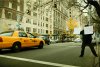
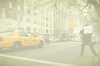
    Sure. When I save my original PSD filter in Photoshop as a PNG file, the file seems to have a hazy and clouded look to it once applied to the image beneath it(like a contact lens that has been spray painted i guess is a way to put it) It looks like solid color with only 50% opacity to it. As compared to the original PSD file, which maintains all of the information. Say the outsides of the image were more. Enclosed is an example of what I am talking about. The first photo is what the PNG file looks like, the second replicates the PSD. I hope this makes a little more sense. Thanks for replying so quickly.Quick question about transparent PNG overlays in Photoshop-1.jpgQuick question about transparent PNG overlays in Photoshop-2.jpg

  4. #4
    Guru
    Join Date
    Jul 2009
    Location
    right in front of you
    Posts
    5,906
    Thanks
    23
    Thanked 147 Times in 144 Posts

    Re: Quick question about transparent PNG overlays in Photoshop

    Check your opacity and fill levels

  5. #5
    Junior Member
    Join Date
    Jan 2012
    Posts
    4
    Thanks
    0
    Thanked 0 Times in 0 Posts

    Re: Quick question about transparent PNG overlays in Photoshop

    Yeah, I could, but that only fades the layer. The PSD file actually blends with the underlying image. The only effect I can think to fix this temporarily is to change the PNG's layer style to "linear burn". But when I go to save it with the Linear Burn applied, it will only open back up in Photoshop to the "normal" layer style. hmm.....

  6. #6
    Guru
    Join Date
    Jul 2009
    Location
    right in front of you
    Posts
    5,906
    Thanks
    23
    Thanked 147 Times in 144 Posts

    Re: Quick question about transparent PNG overlays in Photoshop

    That doesn't look to me like linear burn hmmm is on layer contrast setting different?

  7. #7
    Junior Member
    Join Date
    Jan 2012
    Posts
    4
    Thanks
    0
    Thanked 0 Times in 0 Posts

    Re: Quick question about transparent PNG overlays in Photoshop

    I could set the PNG file to Linear Burn and save it. But once I close and re-open, it is back to the "normal" layer style setting. So that is what the first photo was an example of. Both layers are set to the same contrast :/ tis' quite frustrating

  8. #8
    Guru
    Join Date
    Jul 2009
    Location
    right in front of you
    Posts
    5,906
    Thanks
    23
    Thanked 147 Times in 144 Posts

    Re: Quick question about transparent PNG overlays in Photoshop

    Check image modes someone else can help late here I'll be around tomorrow though good luck

  9. #9
    Member
    Join Date
    Dec 2011
    Posts
    72
    Thanks
    1
    Thanked 6 Times in 6 Posts

    Re: Quick question about transparent PNG overlays in Photoshop

    PNG doesn't support blending modes, only transparency.


Tags for this Thread

Posting Permissions

  • You may not post new threads
  • You may not post replies
  • You may not post attachments
  • You may not edit your posts
Powered by vBulletin® Version 4.1.9
Copyright © 2012 vBulletin Solutions, Inc. All rights reserved.
Content Relevant URLs by vBSEO 3.6.0
Copyright 2011 Photoshop Gurus Forum. All rights reserved.
All times are GMT -5. The time now is 02:01 PM.
vBulletin Skins