+ Reply to Thread
Results 1 to 9 of 9

Thread: Lonsdale font

  1. #1
    Junior Member
    Join Date
    Jan 2012
    Posts
    4
    Thanks
    0
    Thanked 0 Times in 0 Posts

    Angry Lonsdale font

    Hello guys,

    I'm new to photoshop, I've read many articles in here and I'm learning quite fast. Thank you very much and keep up the good work!
    Lately, I'm having trouble with something simple (at least thats what I think). I'm trying to make a custom text in the lonsdale logo.

    Here's the logo:

    Lonsdale font-lonsdale.jpg

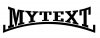
    So what I basically do is to warp the text and make it look like this:

    Lonsdale font-mytext.jpg

    Now the question is how to draw that curve line under the text. I don't necessary want to extend the first letter to the end of the word cause that may be a bit complicated, I just can't figure out the way of making the line.

    Tried to warp it as well but what I got is this ugly result:
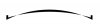
    Lonsdale font-line-fail.jpg

    I'd appreciate any help guys, thank you for your time.

  2. #2
    Forum Mod
    Join Date
    Mar 2002
    Location
    Here... ?
    Posts
    5,003
    Thanks
    10
    Thanked 191 Times in 189 Posts

    Re: Lonsdale font

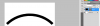
    Use the warp tool... in Menu>Edit>Transform>Warp...

    Click on/inside the grid or the handle bars. Need a bit of practice but you'll get it....

    Lonsdale font-warp.jpg

  3. #3
    Junior Member
    Join Date
    Jan 2012
    Posts
    4
    Thanks
    0
    Thanked 0 Times in 0 Posts

    Re: Lonsdale font

    Thank you very much for your quick response. This is my result

    Lonsdale font-untitled-3.jpg

    Is there any way to set automatically the bend that I want to the line, like I did to the text with the Arc Lower/Upper? It will look much more professional don't you think?

  4. #4
    Forum Mod
    Join Date
    Mar 2002
    Location
    Here... ?
    Posts
    5,003
    Thanks
    10
    Thanked 191 Times in 189 Posts

    Re: Lonsdale font

    Sorry slow connection tonite from my end.... lol...

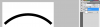
    Not automatic but you can set the bend as illustrated below.... just select the warp shape and add settings in field....

    Lonsdale font-warp2.jpg

    Hope this helps.

  5. #5
    Forum Mod
    Join Date
    Mar 2002
    Location
    Here... ?
    Posts
    5,003
    Thanks
    10
    Thanked 191 Times in 189 Posts

    Re: Lonsdale font

    Actually..... just like the way you created the text....

    But in some instances you may need to use a combination of Arc warp tool and manual to get the right look.

  6. #6
    Junior Member
    Join Date
    Jan 2012
    Posts
    4
    Thanks
    0
    Thanked 0 Times in 0 Posts

    Re: Lonsdale font

    Yes I got it. Thank you for your help, I really appreciate it.

    I just noticed that when I draw a line it seems to have a feathered edge and that makes it kinda ugly..

    This is what I mean

    Lonsdale font-bad-shape.png

    When I rasterize it, you can still notice the problem

    Lonsdale font-rasterize.png

    Do you know how can I fix that? I want it to look sharp

  7. #7
    Forum Mod
    Join Date
    Mar 2002
    Location
    Here... ?
    Posts
    5,003
    Thanks
    10
    Thanked 191 Times in 189 Posts

    Re: Lonsdale font

    It's 2 things...

    1. At what resolution are you creating the image? The higher, the better.... use a minimum of 150ppi.

    2. Don't zoom in.... View the image at Actual size view. Photoshop tends to show jagginess or feathered edges if you zoom .

  8. #8
    Forum Mod
    Join Date
    Mar 2002
    Location
    Here... ?
    Posts
    5,003
    Thanks
    10
    Thanked 191 Times in 189 Posts

    Re: Lonsdale font

    Make sure your feather settings on your selection tool is set to 0.

  9. #9
    Junior Member
    Join Date
    Jan 2012
    Posts
    4
    Thanks
    0
    Thanked 0 Times in 0 Posts

    Re: Lonsdale font

    Yeah I had it zoomed! Thank you very much for your time, and sorry for bothering

    Keep it up ;)


Posting Permissions

  • You may not post new threads
  • You may not post replies
  • You may not post attachments
  • You may not edit your posts
Powered by vBulletin® Version 4.1.9
Copyright © 2012 vBulletin Solutions, Inc. All rights reserved.
Content Relevant URLs by vBSEO 3.6.0
Copyright 2011 Photoshop Gurus Forum. All rights reserved.
All times are GMT -5. The time now is 02:55 PM.
vBulletin Skins