-
-
-
Junior Member
Re: Removing the text
The best way to go about this is to use a combo of the clone stamp and healing brush.
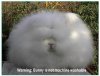
Start off with the clone brush first (use the concrete as a source point by pressing Alt while left clicking once), then "paint" over the words.
Then, where necessary, use the healing brush to blur the line between real and fake (again...left click while pressing Alt to set a source point).
I would also advise to do all these changes on a NEW layer and have the tools set to "use current layer and below". That way if you make a mistake, it won't damage the original print.
-
-
Senior Member
Re: Removing the text
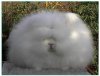
that's actually going to be slightly more difficult, because the text is directly on the border between brick and rabbit, so i recommend making your clone source include some of the rabbit, and just dragging it across slowly, and repeating over and over
here's my result
-
-
Re: Removing the text
Guys, thanks a lot for your help! I'm gonna try right now both ways and see what I get
-
Posting Permissions
- You may not post new threads
- You may not post replies
- You may not post attachments
- You may not edit your posts
Forum Rules
Powered by
vBulletin® Version 4.1.9
Copyright © 2012 vBulletin Solutions, Inc. All rights reserved.
Content Relevant URLs by
vBSEO 3.6.0
Copyright 2011 Photoshop Gurus Forum. All rights reserved.