+ Reply to Thread
Results 1 to 8 of 8
  1. #1
    Junior Member
    Join Date
    Nov 2011
    Posts
    7
    Thanks
    7
    Thanked 0 Times in 0 Posts

    SNL photo bumper help.

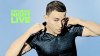
    Does anyone know how to recreate this effect?
    I know it starts with coloring a Black and White photo, but after that im lost
    SNL photo bumper help.-bon_iver_1.jpg
    SNL photo bumper help.-ch_3.jpg
    SNL photo bumper help.-charlesbarkley-bumper6.jpg

  2. #2
    Forum Mod
    Join Date
    Jun 2011
    Location
    Imperial Beach, CA, US
    Posts
    3,575
    Thanks
    97
    Thanked 218 Times in 217 Posts

    Re: SNL photo bumper help.

    I am thinking you want to know about the colorization basically. The people were selected out and placed on BG.

    You're right.
    Desaturate.

    New layer. Paint a color in, such as the skin. Change blend mode to color and adjust the opacity to your satisfaction.

    Make a new layer for each area you color. That way, you can apply different opacities, etc. You can also erase if you bleed over another color area.

    New layer: you can lighten, even tones, minimize features this way: create a new layer, fill with 50% grey. Change blend mode to overlay. Select dodge tool and lighten areas to give them flat, almost cartoonish effect. Use a soft brush, low exposure. I start with midtones, this is usually enough since I'm not looking for that exact effect. But you can finish detailing with the other range settings.

    If you want to emphasize something like Barclay's tie, then don't change the blend mode or try a blend mode of vivid light, etc. Experiment.

    Okay, there are certainly more steps and techniques other members can offer. This is the simple way I would do it.


  3. #3
    Forum Mod
    Join Date
    Jun 2011
    Location
    Imperial Beach, CA, US
    Posts
    3,575
    Thanks
    97
    Thanked 218 Times in 217 Posts

    Re: SNL photo bumper help.

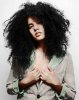
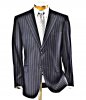
    Oh, IDK really how the shine was added to his suit. It may have been like that already. But I would duplicate the suit, use the plastic wrap filter and lower the opacity or use overlay or both. I'll have to try that. Again, speculation from someone who is really not a "guru," especially with colorization. But it sounds like it would be fun to try!Here's a quickish one without doing the hair. I did try the plastic wrap on the jacket and it's an interesting effect but not the same as his suit jacket. Anyway, I hope this was of some help.I can see there's more to work on here to create the outline you see on your examples.
    Attached Thumbnails Attached Thumbnails SNL photo bumper help.-haute_hair.jpg  

    Last edited by ibclare; 02-05-2012 at 05:58 PM.

  4. #4
    Forum Mod
    Join Date
    Jun 2011
    Location
    Imperial Beach, CA, US
    Posts
    3,575
    Thanks
    97
    Thanked 218 Times in 217 Posts

    Re: SNL photo bumper help.

    Using some threshold settings. Image>adustment>threshold (default), set to soft light, 50%

    SNL photo bumper help.-haute_hair_poster.jpg

    still waiting for someone with experience at this to stop by. I'm off to a Superbowl Party.

  5. The Following User Says Thank You to ibclare For This Useful Post:

    kbxcomix (02-05-2012)

  6. #5
    Junior Member
    Join Date
    Nov 2011
    Posts
    7
    Thanks
    7
    Thanked 0 Times in 0 Posts

    Re: SNL photo bumper help.

    Thanks for the tip but do you know how the shirt in the second picture was colored to get that "dirty" effect?

  7. #6
    Forum Mod
    Join Date
    Jun 2011
    Location
    Imperial Beach, CA, US
    Posts
    3,575
    Thanks
    97
    Thanked 218 Times in 217 Posts

    Re: SNL photo bumper help.

    Here is a film grain filter applied to a plain blue shirt. Considerable range of settings within this one filter to tweak the result of the fx

    SNL photo bumper help.-filmgrain.jpg

  8. #7
    Forum Mod
    Join Date
    Jun 2011
    Location
    Imperial Beach, CA, US
    Posts
    3,575
    Thanks
    97
    Thanked 218 Times in 217 Posts

    Re: SNL photo bumper help.

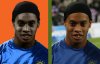
    One more:

    SNL photo bumper help.-posterface.jpg

    this was a fun experiment, though it took me a few extra steps to get there

  9. #8
    Power User
    Join Date
    Jan 2012
    Location
    Sydney, Australia
    Posts
    305
    Thanks
    0
    Thanked 32 Times in 32 Posts

    Re: SNL photo bumper help.

    you should be able to do it with "High Pass" filter.
    duplicate the original layer apply the high pass filter to it about 70%.
    then change the blend mode to "vivid light"

    duplicate that layer a few times to make the effect stronger.
    SNL photo bumper help.-5qi81ku5.jpg

  10. The Following User Says Thank You to Dataflow For This Useful Post:

    ibclare (02-06-2012)


Tags for this Thread

Posting Permissions

  • You may not post new threads
  • You may not post replies
  • You may not post attachments
  • You may not edit your posts
Powered by vBulletin® Version 4.1.9
Copyright © 2012 vBulletin Solutions, Inc. All rights reserved.
Content Relevant URLs by vBSEO 3.6.0
Copyright 2011 Photoshop Gurus Forum. All rights reserved.
All times are GMT -5. The time now is 03:06 PM.
vBulletin Skins