
harishkumar09
New Member
- Messages
- 2
- Likes
- 0
I am having difficulty writing text in a humanly readable size on this image irrespective of whether I use the BMP or the JPG format.It comes very tiny even when I use the highest possible size allowed(72 pt) in Times New Roman.
I am ultimately considering turning the text into a watermark though I would be happy to write on it even as opaqe text.
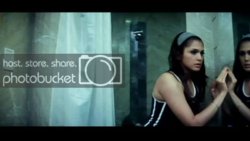
I am enclosing the same image which is a DVD Cap using PowerDVD software
in both the formats.But photobucket has converted the BMP to JPG.But I have difficulty writing into even JPG format.
http://i51.photobucket.com/albums/f374/harishkumar09/test images/f863c633.jpg
http://i51.photobucket.com/albums/f374/harishkumar09/test images/ae6ce785.jpg
I am ultimately considering turning the text into a watermark though I would be happy to write on it even as opaqe text.
I am enclosing the same image which is a DVD Cap using PowerDVD software
in both the formats.But photobucket has converted the BMP to JPG.But I have difficulty writing into even JPG format.
http://i51.photobucket.com/albums/f374/harishkumar09/test images/f863c633.jpg
http://i51.photobucket.com/albums/f374/harishkumar09/test images/ae6ce785.jpg