-
adding a new language to photoshop
hi!
the photoshop i installed doesn't have hebrew fonts... can you tell me how to add a new language, hebrew, to photoshop?
thank you
anat
-
-
Junior Member
This is more just a Windows-related question, but here ya go:
For Windows XP and below:- Download the font to some place you can remember on your computer (its extension should be <fontname>.ttf )
- Go to Control Panel in classic view (if Windows XP), and double-click 'Fonts'
- Click 'File' >> 'Install New Font', select your downloaded font, and press ok
For Windows Vista:- Open Fonts by clicking the Start button Picture of the Start button, clicking Control Panel, clicking Appearance and Personalization, and then clicking Fonts.
- Click File, and then click Install New Font.
- If you don’t see the File menu, press ALT.
- In the Add Fonts dialog box, under Drives, click the drive where the font that you want to install is located.
- Under Folders, double-click the folder containing the fonts that you want to add.
- Under List of fonts, click the font that you want to add, and then click Install.
Restart Photoshop if it was open when you installed the font, and it should be there in the list of fonts ;)
Last edited by F15pilotX; 07-13-2008 at 01:09 AM.
Reason: Added Windows Vista just in case
-
-
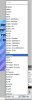
ok so i have a different problem, as you can see, i can't change it to Hebrew layout, please help
-
Posting Permissions
- You may not post new threads
- You may not post replies
- You may not post attachments
- You may not edit your posts
Forum Rules
Powered by
vBulletin® Version 4.1.9
Copyright © 2012 vBulletin Solutions, Inc. All rights reserved.
Content Relevant URLs by
vBSEO 3.6.0

Copyright 2011 Photoshop Gurus Forum. All rights reserved.
All times are GMT -5. The time now is 12:20 AM.