
Photoshop Gurus Forum
Welcome to Photoshop Gurus forum. Register a free account today to become a member! It's completely free. Once signed in, you'll enjoy an ad-free experience and be able to participate on this site by adding your own topics and posts, as well as connect with other members through your own private inbox!
You are using an out of date browser. It may not display this or other websites correctly.
You should upgrade or use an alternative browser.
You should upgrade or use an alternative browser.
Color Picker Issue
- Thread starter Gummo
- Start date


Gummo
Active Member
- Messages
- 30
- Likes
- 4
Thanks for that, Gaussian- I've discovered that I mistakenly downloaded a monitor update during my regular downloads via Windows Update. By selecting 'Monitor Color' in Color Settings the problem corrected instantly.
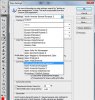
However, I've noticed that 'North America General Purpose 2' has disappeared from the Color Settings list.
I'm not sure now whether to leave it in on 'Monitor Color' or seek the 'North America General Purpose 2' setting for re-instalment.
However, I've noticed that 'North America General Purpose 2' has disappeared from the Color Settings list.
I'm not sure now whether to leave it in on 'Monitor Color' or seek the 'North America General Purpose 2' setting for re-instalment.

JgraphNet
Power User
- Messages
- 422
- Likes
- 34
Strange...
Have you dl'd all PsH updates ? I can't simulate any circumstance that shortens the list (ohter than removing them from ICC Profiles in Windows) and in all honesty I don't know if you can find specific color profiles to add to the list from the DVD. Please keep us informed on this.
Have you dl'd all PsH updates ? I can't simulate any circumstance that shortens the list (ohter than removing them from ICC Profiles in Windows) and in all honesty I don't know if you can find specific color profiles to add to the list from the DVD. Please keep us informed on this.
A
anshika012
Guest
thanks for providing this information I will use it.