-
Junior Member
Photoshop Black Lines in my Work Area
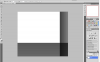
I'm not sure why but how in the heck do I get rid of black lines in my work area on Photoshop CS5. its like every time I zoom in or zoom out for some reason it gets worst... I would post a Photo of it but not to be blunt this is Bullshit I have to post 8 Posts to "insert" a Link.... Sooo FIX the LINK Down Below to view photo. Thanks for your help. And No I'm not going to go around posting to get 8 posts.
http
://
img560
.imageshack
.us/i/crap.
png/
-
-
Administrator
Re: Photoshop Black Lines in my Work Area
I can't get the image URL you posted to work.
Try uploading the pic here as an attachment.
-
-
Junior Member
Re: Photoshop Black Lines in my Work Area
thank you ^_^
-
-
Junior Member
Re: Photoshop Black Lines in my Work Area
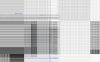
Also here is another photo
-
-
Junior Member
Re: Photoshop Black Lines in my Work Area
It looks like crap I know but when you zoom in at a certain SPOT lol it clears up perfect lol but when I zoom out or in it will do the grid thingy again and i think its a Program error :S
-
-
Administrator
Re: Photoshop Black Lines in my Work Area
Wow, that's a mess. Have you tried updating your video card drivers to the latest version?
-
-
Junior Member
Re: Photoshop Black Lines in my Work Area
-
-
Junior Member
Re: Photoshop Black Lines in my Work Area
YAY thanks so very much updated my Graphics card and now its Fixed THaNKS <3
-
-
Administrator
Re: Photoshop Black Lines in my Work Area
Great to hear! Let us know if there is anything else we can help out with.
-
Posting Permissions
- You may not post new threads
- You may not post replies
- You may not post attachments
- You may not edit your posts
Forum Rules
Powered by
vBulletin® Version 4.1.9
Copyright © 2012 vBulletin Solutions, Inc. All rights reserved.
Content Relevant URLs by
vBSEO 3.6.0
Copyright 2011 Photoshop Gurus Forum. All rights reserved.