
+ Reply to Thread
Results 1 to 2 of 2
  1. #1
    Newbie
    Join Date
    Mar 2011
    Posts
    1
    Thanks
    0
    Thanked 0 Times in 0 Posts

    Not able to copy and paste more than one layer selection - Photoshop CS4

    I am new to PohotoShop CS4 and I am following a tutorial. I have a baffling problem. I am supposed to select more than one layer by ctrl click the first layer, then to select a second layer, I need to shift click the second layer and ctrl click again. This highlights the layers and "marching ants" surrounds the selection. The part that is baffling is that when I copy and paste, it always paste only one of the items in the selection (either the one selected first or last, not certain). I can take a workaround, but it is a mystery why even though the selection (marching ants)obviously surrounds the two layers, why it paste only one into the second document. Please see the example here:
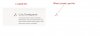
    Not able to copy and paste more than one layer selection - Photoshop CS4-info.jpg

  2. #2
    Guru
    Join Date
    Mar 2010
    Location
    Mesa, Arizona
    Posts
    1,108
    Thanks
    0
    Thanked 71 Times in 70 Posts

    Re: Not able to copy and paste more than one layer selection - Photoshop CS4

    Edit, copy merged, then paste.


Tags for this Thread

Posting Permissions

  • You may not post new threads
  • You may not post replies
  • You may not post attachments
  • You may not edit your posts
Powered by vBulletin® Version 4.1.9
Copyright © 2012 vBulletin Solutions, Inc. All rights reserved.
Content Relevant URLs by vBSEO 3.6.0
Copyright 2011 Photoshop Gurus Forum. All rights reserved.
All times are GMT -5. The time now is 03:31 PM.
vBulletin Skins