SeniorS
Guru
- Messages
- 1,517
- Likes
- 452
Problem: "peoples" gives me Indesign file with image links, i must cmyk it and improve images.
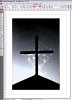
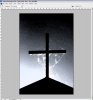
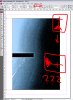
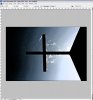
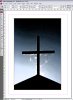
And often image preview at file explorer is with 90degree rotation but when PS opens it everthings looks correct. After saving preview changes to correct rotation and Ingesign rotates it too and now image is -90degree and i have to go back to PS and rotate it in wrong (for viewing in PS) way and save again. Problem solved but thats very frustating and very good because sometimes there isn't Indesign file (so i don't see which one rotate back) and "peoples" keeps complaing that i rotate images for fun (at their point it looks like that).
I assume that image been captured with angle and there is at EXIF that info and somehow PS reads it but Indesing don't or something like that. And PS saving clears it or maybe just makes it understandable to Ingesing.
(Almoust every "portret" image needs rotate to "landscape")
I'm not sure for that and that's my question - how to avoid that if i can't change Indesign file but can change only images?
Switching in PS preferences Ignore EXIF profile tag doesn't do any good.
P.S. my english is low so i make simple sentences as posible and hope not loosing idea.
And often image preview at file explorer is with 90degree rotation but when PS opens it everthings looks correct. After saving preview changes to correct rotation and Ingesign rotates it too and now image is -90degree and i have to go back to PS and rotate it in wrong (for viewing in PS) way and save again. Problem solved but thats very frustating and very good because sometimes there isn't Indesign file (so i don't see which one rotate back) and "peoples" keeps complaing that i rotate images for fun (at their point it looks like that).
I assume that image been captured with angle and there is at EXIF that info and somehow PS reads it but Indesing don't or something like that. And PS saving clears it or maybe just makes it understandable to Ingesing.
(Almoust every "portret" image needs rotate to "landscape")
I'm not sure for that and that's my question - how to avoid that if i can't change Indesign file but can change only images?
Switching in PS preferences Ignore EXIF profile tag doesn't do any good.
P.S. my english is low so i make simple sentences as posible and hope not loosing idea.
Last edited: