+ Reply to Thread
Page 1 of 2 12 LastLast
Results 1 to 10 of 13
  1. #1
    Member
    Join Date
    May 2011
    Posts
    31
    Thanks
    0
    Thanked 0 Times in 0 Posts

    Change color of Sample points - possible?

    Hi
    When setting black, white and gray points on an image (using Thresholds and Curves) I often find that a sample point for the gray point disapears in the image (a gray point against the gray of the image). Does anyone know of a way to change the color of the sample point so it shows up on a gray background?

  2. #2
    Guru
    Join Date
    Apr 2011
    Location
    born in U.S.S.R.
    Posts
    1,742
    Thanks
    36
    Thanked 120 Times in 112 Posts

    Re: Change color of Sample points - possible?

    Didn't understand?...What point? Color sample point? If Color sapmle point then how you made it disapear (post a screenshot)?
    Rather than love, than money, than fame, give me truth. © Henry David Thoreau

  3. #3
    Member
    Join Date
    May 2011
    Posts
    31
    Thanks
    0
    Thanked 0 Times in 0 Posts

    Re: Change color of Sample points - possible?

    Hi
    Apologies for not being clearer.
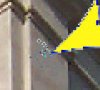
    On the attached image you'll three arrows. The bottom one points to a sample point I made for white (a black croshair circle on the white background), the middle arrow points a sample point for black (a white crosshair circle on the black background) and the top arrow points to the sample point I made for gray (a gray crosshair circle on the gray background) - yes, it's really there!
    As such, the black and white sample points are visible but the gray one blends into the colour of the wall and so cannot be seen.
    My question is: Is this problem fixable?
    Attached Thumbnails Attached Thumbnails Change color of Sample points - possible?-sample-points.jpg  


  4. #4
    Guru
    Join Date
    Apr 2011
    Location
    born in U.S.S.R.
    Posts
    1,742
    Thanks
    36
    Thanked 120 Times in 112 Posts

    Re: Change color of Sample points - possible?

    Intresting...i tried to put sample but i see it. Not so good but see.
    Change color of Sample points - possible?-samplepoint2.jpg
    Mabe if you using old PS then that's a problem. And i don't think that it can be solved. PS automaticly adjust that "sign's" color so you can't do anything about it.
    Rather than love, than money, than fame, give me truth. © Henry David Thoreau

  5. #5
    Member
    Join Date
    May 2011
    Posts
    31
    Thanks
    0
    Thanked 0 Times in 0 Posts

    Re: Change color of Sample points - possible?

    Oh! That's a little odd then. Well, it's CS5 I'm using.
    Thanks for your reply anyway - maybe someone else out there can duplicate it.

  6. #6
    Member
    Join Date
    May 2011
    Posts
    31
    Thanks
    0
    Thanked 0 Times in 0 Posts

    Re: Change color of Sample points - possible?

    I've tried the same thing on a few other images with varying degrees of success - some are just visible, others are not.
    The thing I notice with your example is that your sample points are white circles whereas mine are gray.
    I'll keep experimenting...

  7. #7
    Guru
    Join Date
    Apr 2011
    Location
    born in U.S.S.R.
    Posts
    1,742
    Thanks
    36
    Thanked 120 Times in 112 Posts

    Re: Change color of Sample points - possible?

    I'm on CS3 now. Maybe they made another thing "better" in CS5. Or there is some preference (but i don't think so).
    Rather than love, than money, than fame, give me truth. © Henry David Thoreau

  8. #8
    Member
    Join Date
    May 2011
    Posts
    31
    Thanks
    0
    Thanked 0 Times in 0 Posts

    Re: Change color of Sample points - possible?

    I think this thread should be moved to 'Photoshop Troubleshooting'.
    Do you know how this can done?

  9. #9
    Guru
    Join Date
    Apr 2011
    Location
    born in U.S.S.R.
    Posts
    1,742
    Thanks
    36
    Thanked 120 Times in 112 Posts

    Re: Change color of Sample points - possible?

    No. Moderators can.
    Rather than love, than money, than fame, give me truth. © Henry David Thoreau

  10. #10
    Guru
    Join Date
    Jul 2009
    Location
    right in front of you
    Posts
    5,906
    Thanks
    23
    Thanked 147 Times in 144 Posts

    Re: Change color of Sample points - possible?

    all set moved to appropriate forum as requested


Tags for this Thread

Posting Permissions

  • You may not post new threads
  • You may not post replies
  • You may not post attachments
  • You may not edit your posts
Powered by vBulletin® Version 4.1.9
Copyright © 2012 vBulletin Solutions, Inc. All rights reserved.
Content Relevant URLs by vBSEO 3.6.0
Copyright 2011 Photoshop Gurus Forum. All rights reserved.
All times are GMT -5. The time now is 03:36 PM.
vBulletin Skins