-
Photoshop CS5 Styles Menu
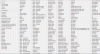
This is probably a huge newbie question, but I upgraded from cs3 to cs5 and when I access my styles menu, I get this HUGE selection screen that comes out and cuts off, is there a way to change this? I cant even access all my styles as the window cuts off abruptly. It lists all my styles, in text form, in a huge window.
-
-
Forum Mod
Re: Photoshop CS5 Styles Menu
is this what you are after
-
-
Re: Photoshop CS5 Styles Menu

Thats what I get when I click the down arrow on the Styles window. Is there any way to condense this? I know I'm probably doing something wrong but I just can't figure it out. I'm used to the styles window having a drop down menu that scrolls, not a big pop out menu.
-
-
Forum Mod
Re: Photoshop CS5 Styles Menu
yeah change it from text only to a thumbnail option
-
-
Re: Photoshop CS5 Styles Menu
Okay I figured it out, thanks for the help
-
-
Guru
Re: Photoshop CS5 Styles Menu

Originally Posted by
Hoogleman
Hoogleman, how to get your brushes to look like that? Is it a CS5 thing or is there some kind of option to get them to look so clear and big? I can hardly see mine.
vafann
-
-
Guru
Re: Photoshop CS5 Styles Menu

Originally Posted by
Vafann
Hoogleman, how to get your brushes to look like that? Is it a CS5 thing or is there some kind of option to get them to look so clear and big? I can hardly see mine.

vafann
Oh, maybe you actually just answered that, you just change them to large thumbnails? I try that.
-
-
Junior Member
Re: Photoshop CS5 Styles Menu
I think u may change it thumbnail option.
-
Tags for this Thread
Posting Permissions
- You may not post new threads
- You may not post replies
- You may not post attachments
- You may not edit your posts
Forum Rules
Powered by
vBulletin® Version 4.1.9
Copyright © 2012 vBulletin Solutions, Inc. All rights reserved.
Content Relevant URLs by
vBSEO 3.6.0
Copyright 2011 Photoshop Gurus Forum. All rights reserved.