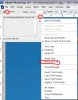
Hello I have a problem with Photoshop CS4 where my pen, eraser etc don't match up with the circle guide on the screen. The guide's always about 20% too big. Like the pic below
I've tried every brush setting I can find and I'm not using any weird settings, just the default PS brushes. Any help appreciated. Thanks.
I've tried every brush setting I can find and I'm not using any weird settings, just the default PS brushes. Any help appreciated. Thanks.