
+ Reply to Thread
Page 1 of 2 12 LastLast
Results 1 to 10 of 11
  1. #1
    Junior Member
    Join Date
    Jan 2012
    Location
    Florida
    Posts
    5
    Thanks
    0
    Thanked 0 Times in 0 Posts

    Help!...I can't figure out what the problem is!

    Hi all,

    I am new to Photoshop and was assigned the task (by my business partner) to update some of our current product label/instructions to read 2012. However, I am having some trouble. As you will see in the screen print that I have attached, I was able to change the year to "12" in the top box by clicking the text button and then clicking what I wanted to change, however I can not do the same for the bottom set. Can you please help me figure out what the problem is? I just need to update the bottom to read "08-12 CBR 1000RR".
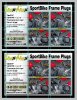
    Attached Thumbnails Attached Thumbnails Help!...I can't figure out what the problem is!-trouble-shoot-.jpg  


  2. #2
    Forum Mod
    Join Date
    Jun 2011
    Location
    Uk
    Posts
    5,620
    Thanks
    85
    Thanked 449 Times in 424 Posts

    Re: Help!...I can't figure out what the problem is!

    I am assuming the bottom set is a text layer and not an imported image right??

    single click the text layer you want to change so that layer is hightlighted then double click the T in the preview icon on in the layer panel it should then highlight all the text for you to edit it if it has not been rasterised.

  3. #3
    Junior Member
    Join Date
    Jan 2012
    Location
    Florida
    Posts
    5
    Thanks
    0
    Thanked 0 Times in 0 Posts

    Re: Help!...I can't figure out what the problem is!

    I'm not entirely sure the images were sent to me...how would I be able to tell?

  4. #4
    Junior Member
    Join Date
    Jan 2012
    Location
    Florida
    Posts
    5
    Thanks
    0
    Thanked 0 Times in 0 Posts

    Re: Help!...I can't figure out what the problem is!

    I tried that and I can now see where I can type new text but it will not allow me to delete the current text so that I can replace it with the right year.

  5. #5
    Forum Mod
    Join Date
    Jun 2011
    Location
    Uk
    Posts
    5,620
    Thanks
    85
    Thanked 449 Times in 424 Posts

    Re: Help!...I can't figure out what the problem is!

    probably because it is more than 1 text layer you need to change them individually. To find out which layer is which in the layer panels you will see a vertical row of eye ball type symbols, they toggle the layer visibility so work your way down them to establish which layer is what

  6. #6
    Junior Member
    Join Date
    Jan 2012
    Location
    Florida
    Posts
    5
    Thanks
    0
    Thanked 0 Times in 0 Posts

    Re: Help!...I can't figure out what the problem is!

    I have tried all of the layers and none seem to be the text I am looking for.

  7. #7
    Forum Mod
    Join Date
    Jun 2011
    Location
    Uk
    Posts
    5,620
    Thanks
    85
    Thanked 449 Times in 424 Posts

    Re: Help!...I can't figure out what the problem is!

    Upload your psd (the same way you would upload a normal picture and I am sure someone will work it out for you.

  8. #8
    Member
    Join Date
    Jan 2012
    Location
    New Delhi, India
    Posts
    82
    Thanks
    0
    Thanked 4 Times in 4 Posts

    Re: Help!...I can't figure out what the problem is!

    It could be that you don't have the correct fonts installed... otherwise, Hoogle's instructions should work...
    ::Namanyay Goel
    ::Freelance Graphic Designer and Web Designer.
    ::Technologically Sane (Blog)

  9. #9
    Member
    Join Date
    Jan 2012
    Location
    New Delhi, India
    Posts
    82
    Thanks
    0
    Thanked 4 Times in 4 Posts

    Re: Help!...I can't figure out what the problem is!

    Already spammed 10 posts :/

    Admin, delete him!
    ::Namanyay Goel
    ::Freelance Graphic Designer and Web Designer.
    ::Technologically Sane (Blog)

  10. #10
    Administrator
    Join Date
    Jul 2010
    Location
    New Jersey, USA
    Posts
    4,744
    Thanks
    12
    Thanked 160 Times in 150 Posts

    Re: Help!...I can't figure out what the problem is!

    Thanks NamanyayG he's gone.
    You can use the orange triangle under a message to report a post.


Posting Permissions

  • You may not post new threads
  • You may not post replies
  • You may not post attachments
  • You may not edit your posts
Powered by vBulletin® Version 4.1.9
Copyright © 2012 vBulletin Solutions, Inc. All rights reserved.
Content Relevant URLs by vBSEO 3.6.0
Copyright 2011 Photoshop Gurus Forum. All rights reserved.
All times are GMT -5. The time now is 04:42 PM.
vBulletin Skins