-
Junior Member
Photoshop Text tool Problem
so i was using the text tool in Cs6 and the blinking cursor line that usually shows up after whatever i just typed now shows up at the begging of the text. and whenever i input a punctuation mark or space it shows up at the beginning of the text line i started and only goes to the end if i continue to type. anyone have any idea how to fix this? thanks!
-
-
Power User
Re: Photoshop Text tool Problem
I am assuming you are making a "path" for the text to follow... In which case, It is a pain.
You must click over and over to select the path properly, If you do not achieve the expected result, do the same thing on a slightly different part of the path...
But, if you are just making plain text without the path... I suggest making the text box slightly larger than it was ,then attempt to type.
My Photoshop does that sometimes with a small text box...
If you do the same thing over and over expecting a different result, remember; your insane.
-
-
Forum Mod
Re: Photoshop Text tool Problem
better still dont make a text box just click on your document with the text too and type away
-
-
Junior Member
Re: Photoshop Text tool Problem
Ive actually been doing just that, hoogle. So the text box size isnt a problem
-
-
Forum Mod
Re: Photoshop Text tool Problem
are you sure you have not swapped the default text tool to another option if it continues reset your text tool and it should be back to normal
-
-
Junior Member
Re: Photoshop Text tool Problem
it was happening every time i opened and restarted my photoshop. also i deleted the preferences and opened it again. i was using the correct Text tool.
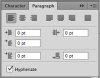
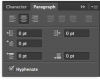
BUT. i figured it out. somehow my paragraph settings were messed with. not sure how. but i opened the paragraph panel and changed some things around and now its working perfectly! so happy to have it back haha
-
-
Re: Photoshop Text tool Problem
Oh please, oh please tell me how you fixed it. I have the same issue adn nothing I've messed with under the paragraph panel does anything.
Every time I write a sentence and hit a period, or question mark or exclamation mark, it moves the punctuation to the beginning of the sentence: example
!It's making me mental
How do i fix this?
-
-
Junior Member
Re: Photoshop Text tool Problem
Id love to help you. I am going to work now but when I get home later tonight I will take a screenshot of the setting that I changed that fixed it
-
-
Re: Photoshop Text tool Problem
-
-
Junior Member
Re: Photoshop Text tool Problem

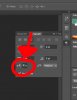
This is what was selected that was making it mess up. selected the option right next to it and it was fixed completely. hopefully this works for you too.
sorry it took a while to get back to you, got a baby and three jobs haha
-
The Following 2 Users Say Thank You to Tguitarplyr182 For This Useful Post:
Tags for this Thread
Posting Permissions
- You may not post new threads
- You may not post replies
- You may not post attachments
- You may not edit your posts
Forum Rules
Powered by
vBulletin® Version 4.1.9
Copyright © 2013 vBulletin Solutions, Inc. All rights reserved.
Content Relevant URLs by
vBSEO 3.6.0

Copyright 2011 Photoshop Gurus Forum. All rights reserved.
All times are GMT -5. The time now is 02:20 PM.