+ Reply to Thread
Page 1 of 2 12 LastLast
Results 1 to 10 of 13
  1. #1
    Junior Member
    Join Date
    Dec 2010
    Posts
    4
    Thanks
    0
    Thanked 0 Times in 0 Posts

    Creating a transparent gif of a white text

    Hey all,

    I've been working on creating a transparent gif using white text and I have running into a lot of problems. The edges of my image remains jagged and I'm not sure what I can do in order to fix it. I have tried making sure my text is anti alias and made sure to Save for Web ... Here is my save options
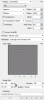
    Creating a transparent gif of a white text-saveoptions.gif
    This is how the image looks:
    Creating a transparent gif of a white text-whatgives.gif

  2. #2
    Guru
    Join Date
    Aug 2010
    Location
    The Abyss
    Posts
    952
    Thanks
    0
    Thanked 0 Times in 0 Posts

    Re: Creating a transparent gif of a white text

    Why not try a PNG??
    You can call me Kev, if you need anything just ask! Please take a moment to read the rules here!
    FORUM RULES PLEASE READ - CLICK HERE TO READ
    FREELANCE SECTION RULES - CLICK HERE TO READ

  3. #3
    Junior Member
    Join Date
    Dec 2010
    Posts
    4
    Thanks
    0
    Thanked 0 Times in 0 Posts

    Re: Creating a transparent gif of a white text

    I did try it earlier but I still found it not clean... :(
    Creating a transparent gif of a white text-letsd.png

  4. #4
    Guru
    Join Date
    Jul 2009
    Location
    right in front of you
    Posts
    5,906
    Thanks
    23
    Thanked 147 Times in 144 Posts

    Re: Creating a transparent gif of a white text

    What font are you using? Some free font real bad to use (edges not clean) how is resolution, all sorts of factors come into play ,can you post an example?

    oops see the example what font?

    increase resolution
    Last edited by iDad; 12-10-2010 at 06:56 PM.

  5. #5
    Guru
    Join Date
    Jul 2009
    Location
    right in front of you
    Posts
    5,906
    Thanks
    23
    Thanked 147 Times in 144 Posts

    Re: Creating a transparent gif of a white text

    put together something to show the differences but did not know the font you used.
    Forums :: resolution from 72dpi to 300 video by iDadGraphics - Photobucket

  6. #6
    Guru
    Join Date
    Aug 2010
    Location
    The Abyss
    Posts
    952
    Thanks
    0
    Thanked 0 Times in 0 Posts

    Re: Creating a transparent gif of a white text

    Technically you shouldn't have to make it 300dpi to look good.. Most web based graphics or text is at 72 dpi..

    What Font is it?
    You can call me Kev, if you need anything just ask! Please take a moment to read the rules here!
    FORUM RULES PLEASE READ - CLICK HERE TO READ
    FREELANCE SECTION RULES - CLICK HERE TO READ

  7. #7
    Guru
    Join Date
    Aug 2010
    Location
    The Abyss
    Posts
    952
    Thanks
    0
    Thanked 0 Times in 0 Posts

    Re: Creating a transparent gif of a white text

    Btw, the size your graphic is only 1.3, it should be a bit larger than that.. Try making it bigger them resize to to the size you want. i suggest you don't make it to big then shrink it down a lot. you can get jagged edges from that..
    You can call me Kev, if you need anything just ask! Please take a moment to read the rules here!
    FORUM RULES PLEASE READ - CLICK HERE TO READ
    FREELANCE SECTION RULES - CLICK HERE TO READ

  8. #8
    Junior Member
    Join Date
    Dec 2010
    Posts
    24
    Thanks
    0
    Thanked 1 Time in 1 Post

    Re: Creating a transparent gif of a white text

    The jagged edges usually means a problem with the pixels. Change the size/resolution of image, cover it up, or try blurring it out will help.

  9. #9
    Guru
    Join Date
    Jul 2009
    Location
    right in front of you
    Posts
    5,906
    Thanks
    23
    Thanked 147 Times in 144 Posts

    Re: Creating a transparent gif of a white text

    oops my mistake
    Last edited by iDad; 12-10-2010 at 10:02 PM. Reason: bigger is better

  10. #10
    Guru
    Join Date
    Aug 2010
    Location
    The Abyss
    Posts
    952
    Thanks
    0
    Thanked 0 Times in 0 Posts

    Re: Creating a transparent gif of a white text

    Quote Originally Posted by Darkpostpone View Post
    The jagged edges usually means a problem with the pixels. Change the size/resolution of image, cover it up, or try blurring it out will help.
    Or it could be the settings he/they are using to bounce it down at..
    You can call me Kev, if you need anything just ask! Please take a moment to read the rules here!
    FORUM RULES PLEASE READ - CLICK HERE TO READ
    FREELANCE SECTION RULES - CLICK HERE TO READ


Posting Permissions

  • You may not post new threads
  • You may not post replies
  • You may not post attachments
  • You may not edit your posts
Powered by vBulletin® Version 4.1.9
Copyright © 2012 vBulletin Solutions, Inc. All rights reserved.
Content Relevant URLs by vBSEO 3.6.0
Copyright 2011 Photoshop Gurus Forum. All rights reserved.
All times are GMT -5. The time now is 04:13 PM.
vBulletin Skins