Darkpostpone
Member
- Messages
- 23
- Likes
- 1
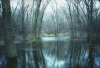
The first time I seen this, I thought it was fake. Then I thought this was really cool and really interesting.
To give credit: i found it on How to Make a Photo Look Like a Painting | eHow.com
Anyways, the second time I tried it, I make my house into a painting.
You make multiple layers of the same image by duplicating.
Filter >> Blur >> Gaussian is what they use.
This is use to change the pixels of the image. (There is a number input)
You can change it.
Basically, it blurs the image to look more of a realistic painting than photoshop.
You use the duplicating layers to blend the images to look real.
On Layer panel (to the right) change drop-down from Normal >> Darken for Blend.
Pretty cool trick?
To give credit: i found it on How to Make a Photo Look Like a Painting | eHow.com
Anyways, the second time I tried it, I make my house into a painting.
You make multiple layers of the same image by duplicating.
Filter >> Blur >> Gaussian is what they use.
This is use to change the pixels of the image. (There is a number input)
You can change it.
Basically, it blurs the image to look more of a realistic painting than photoshop.
You use the duplicating layers to blend the images to look real.
On Layer panel (to the right) change drop-down from Normal >> Darken for Blend.
Pretty cool trick?