16Likes
-
-
-
Senior Member
Re: I want to learn how to make these.
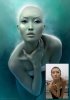
It's combination of things
first remove all the blemishes
duplicate the layer, blur it but mask out eyes, and other areas that have to be sharp
maybe use the smudge or blur to to enhance the effect.
the maybe another layer for coloring the image
check out these tutorials
http://sixrevisions.com/photoshop/26...ing-tutorials/
not exactly what you wanted but they teach you how to Photoshop skin
and I'm sure you could probably figure it out from there
I have some tutorials on my site
http://photoshoptrainingchannel.com
but nothing like that, maybe I'll try one next!
good luck!
-
The Following User Says Thank You to PhotoshopTrainingChannel For This Useful Post:
-
Re: I want to learn how to make these.
Thank you so much! I found some really nice retouching tuts from the links, i will try those out. I look forward to seeing your version of those ^^ and teach me! lol.
-
-
Queen Bee
Re: I want to learn how to make these.
These are exquisite. Thanks for sharing them.
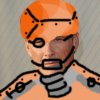
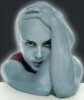
I had fun emulating some of the effects. My photo was all wrong, especially the resolution - having the photograph done well is a huge part of his process I imagine. Anyway, here is my before and 2 afters:

I think that he used the liquify filter to get some of this alien skin texture and shape. Very cool stuff.
-
-
Re: I want to learn how to make these.
Epic right
They looked very simple but quite troublesome to emulate lol. Someday... we too can make images like those. Need to level up lol.
-
-
Queen Bee
Re: I want to learn how to make these.
Yes, quite a study though. I think I'll keep trying, not necessarily right now. It will take getting the right subject and a really good shot to begin with.
-
-
Re: I want to learn how to make these.
I like the pics that you posted. It gave me an idea
to make photo grid with each grid having a different effect or sort of different exposures!
-
-
Forum Moderator
Re: I want to learn how to make these.
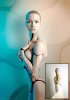
I love the humanoid image...
I been working on a piece very similar to that. You really do need the right model for the job.
It would be best to look at some good video tutorials to figure out how.
-
-
Queen Bee
Re: I want to learn how to make these.
-
The Following User Says Thank You to ibclare For This Useful Post:
-
Guru
Re: I want to learn how to make these.
When I started high school in ’96,I would sit in the back of the class and play around in Photoshop and 3D Max. That’s when I really got a taste for the computer arts. Eventually I “obtained” a home version of photoshop and I have been spending hours in front of the computer ever since.
This is how he created the works of art, decades spent learning and honing his craft. It's not something you can teach in a tutorial or condense into a forum reply. It's really like asking how one would go about painting the Sistine Chapel.
My advice for anyone and everyone wanting to create art is learn the basics. Color theory, figure drawing, shading, lighting, perspective, rendering techniques, etc. Once you get the fundamentals down, learn how to apply them to the medium you want to work in(pencil, paint, 3D, Photoshop, painter, illustrator...) When you've done that, you will be able to look at a work of art and determine how the person created it, in addition to being able to create your own. 
-
The Following User Says Thank You to Fatboy73 For This Useful Post:
Posting Permissions
- You may not post new threads
- You may not post replies
- You may not post attachments
- You may not edit your posts
Forum Rules
Powered by
vBulletin® Version 4.1.9
Copyright © 2013 vBulletin Solutions, Inc. All rights reserved.
Content Relevant URLs by
vBSEO 3.6.0
Copyright 2011 Photoshop Gurus Forum. All rights reserved.
All times are GMT -5. The time now is 08:26 PM.