11Likes
-
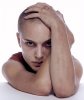
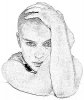
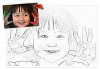
Turn your image into beautifull pencil art
1.open portriat and remove background lock in layer.
2.press control + j
3.press control shift + u
4.press control + j
5.press control + i
6.change layer mode to colour dodge.
7.filter/ blur /gasuian blur /radius = 1
8.for darker click
layer menu/new adjustment layer and /levels and move tab left to right.
-
The Following 2 Users Say Thank You to QriousLABZ For This Useful Post:
andy_12 (09-29-2012), MikeMc (10-23-2012)
-
Member
Re: Turn your image into beautifull pencil art
this is good tutorial for creating pencil art without using any complicated filter.
-
-
Re: Turn your image into beautifull pencil art

Originally Posted by
QriousLABZ
1.open portriat and remove background lock in layer.
2.press control + j
3.press control shift + u
4.press control + j
5.press control + i
6.change layer mode to colour dodge.
7.filter/ blur /gasuian blur /radius = 1
8.for darker click
layer menu/new adjustment layer and /levels and move tab left to right.
Attachment 21701
Thanks!! Worked for me. I always wanted to experiment with my pictures using this technique. Now, I can manage to get a few more likes on my Facebook pictures
-
-
Re: Turn your image into beautifull pencil art
Quick and simple. Good tutorial.
-
-
McGuru
-
-
Re: Turn your image into beautifull pencil art
This is great. Thanks for the tip man. Alot to do with photoshop
-
-
Re: Turn your image into beautifull pencil art
Hello,
This is a great way of showing off my pencil skills to others haha ;)
Thanks for this share!
grtz,
Kenney
-
-
Member
Re: Turn your image into beautifull pencil art
Brilliant short and sweet tutorial thanks a lot
-
-
Forum Moderator
Re: Turn your image into beautifull pencil art
Here's another way...Bit more complicated lol.
Duplicate Layer you want to turn into a drawing.
Filter > Stylize > Glowing Edges Now use these settings....
Edge Width: 3 Edge Brightness: 5 Smoothness: 8
Now go to
Image > Adjustments > Invert and then Image > Adjustments Desaturate.
Now clean up the image, go to...
Levels and change the input levels slider values.
Change Shadows to 20 and Highlights to 237. Now change the blend mode of that layer to Multiply.
-
-
Senior Member
Re: Turn your image into beautifull pencil art
Nice tutorial, effective and fast. Much obliged.
-
Tags for this Thread
Posting Permissions
- You may not post new threads
- You may not post replies
- You may not post attachments
- You may not edit your posts
Forum Rules
Powered by
vBulletin® Version 4.1.9
Copyright © 2013 vBulletin Solutions, Inc. All rights reserved.
Content Relevant URLs by
vBSEO 3.6.0
Copyright 2011 Photoshop Gurus Forum. All rights reserved.
All times are GMT -5. The time now is 11:59 PM.