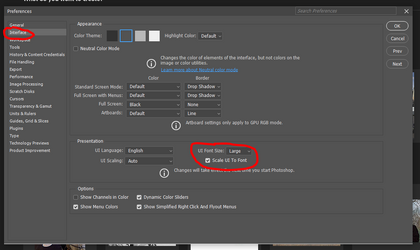
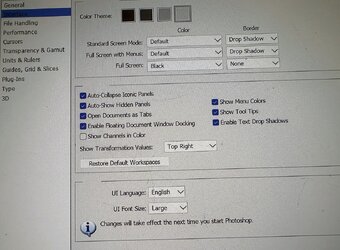
Related to my last question which was to do with icon size in Photoshop and I have now got sorted.
My problem now is the tool size. Let me explain.
I recently had to upgrade my laptop to an Asus Zenbook running windows 11 and when I installed my copy of Photoshop CS5 on it there were a lot of problems due to the higher screen resolution amongst other things.
I'm 71 so didn't want to go down the subscription route as I only use it occasionally to do bits and pieces on family photos. So I managed to pick up a copy of CS6 Extended which I installed and after tweeking it to increase the icon size it's working perfectly. However the tool size are so small they are just specks.
I can work with it yes but is there any way of increasing the size so my old eyes can see it better?
I have attached a photo as an example and the little speck in the top left hand corner is the magnifying glass!
Many thanks for any suggestions.
My problem now is the tool size. Let me explain.
I recently had to upgrade my laptop to an Asus Zenbook running windows 11 and when I installed my copy of Photoshop CS5 on it there were a lot of problems due to the higher screen resolution amongst other things.
I'm 71 so didn't want to go down the subscription route as I only use it occasionally to do bits and pieces on family photos. So I managed to pick up a copy of CS6 Extended which I installed and after tweeking it to increase the icon size it's working perfectly. However the tool size are so small they are just specks.
I can work with it yes but is there any way of increasing the size so my old eyes can see it better?
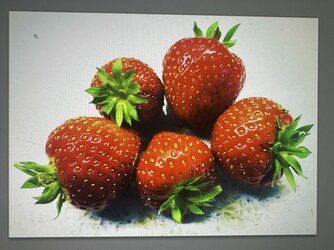
I have attached a photo as an example and the little speck in the top left hand corner is the magnifying glass!
Many thanks for any suggestions.