Dear all,
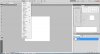
I'm using Photoshop CS5 Extended and I've a problem with a tutorial, I have to do this:
'Try representing a new file (File>New) of 400×400 px and 72 dpi. Select after that this option in the menu:3D>New Shape From Layer>Cube.'
But I don't have and can't find the whole 3D-window at all! :sad:
I've a picture of how it have to look, but I can't post it yet... must have 5 posts.
I'll post it as soon as possible, may be somebody knows what I mean without a picture?
I hope someone here can help me!
Regards, Koen
I'm using Photoshop CS5 Extended and I've a problem with a tutorial, I have to do this:
'Try representing a new file (File>New) of 400×400 px and 72 dpi. Select after that this option in the menu:3D>New Shape From Layer>Cube.'
But I don't have and can't find the whole 3D-window at all! :sad:
I've a picture of how it have to look, but I can't post it yet... must have 5 posts.
I'll post it as soon as possible, may be somebody knows what I mean without a picture?
I hope someone here can help me!
Regards, Koen