What's new
Photoshop Gurus Forum

Welcome to Photoshop Gurus forum. Register a free account today to become a member! It's completely free. Once signed in, you'll enjoy an ad-free experience and be able to participate on this site by adding your own topics and posts, as well as connect with other members through your own private inbox!

Array shape on a circle


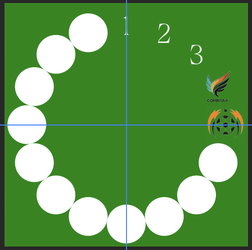
If you want to use "circular" smart object layers, it would look more like this....
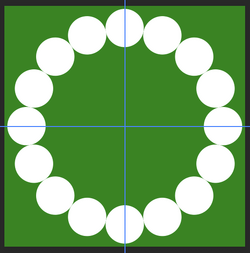
Screen Shot 2025-11-20 at 12.06.32 PM.png

Then you would convert each layer/circle into a smart object, and then double click to open the PSB, then add an image.
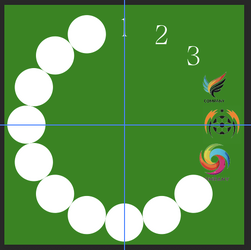
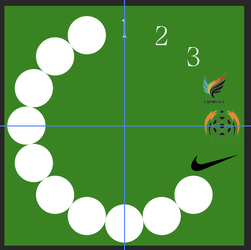
I used numbers for this demo....
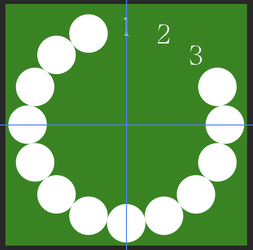
Screen Shot 2025-11-20 at 5.40.24 PM.png


But all logos would be constrained to the size of the circle....
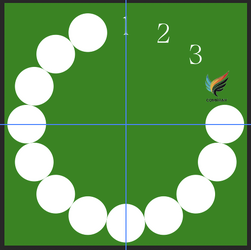
Screen Shot 2025-11-20 at 5.47.08 PM.png
Screen Shot 2025-11-20 at 5.49.30 PM.png
 
I correct myself!

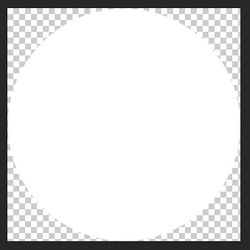
Technically, in the PSB file, the "circle" is inside a square canvas....
Screen Shot 2025-11-20 at 5.57.53 PM.png

So your logos would be constrained to that square...
Screen Shot 2025-11-20 at 6.00.21 PM.png

Also "technically", you can expand/edit the square in the PSB file to be larger is needed. As long as you make sure the logo is not touching another logo.
Screen Shot 2025-11-20 at 6.02.31 PM.png
Screen Shot 2025-11-20 at 6.06.10 PM.png
Screen Shot 2025-11-20 at 6.04.09 PM.png
 
Hi all,
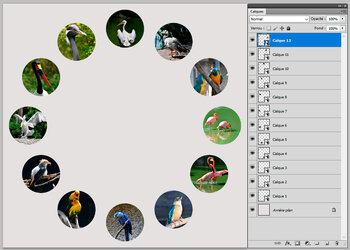
With the following ExtendScript script, you copy as many photos (landscape or portrait) in a folder. The script will create cas many circular smart objects as photos found in the folder and move them on a large circle. You may change the size of the background and the spaces between smart objects. The program selects the central area of each photo.
Regards.
birds.jpg.
 

Back
Top